Free Social Media Schedulers: What You Actually Get in 2026
Free schedulers are real. The fine print is what decides whether one works for you. Here's what's included, what isn't, and when to stop.
The Crossposting Team
Crossposting.xyz
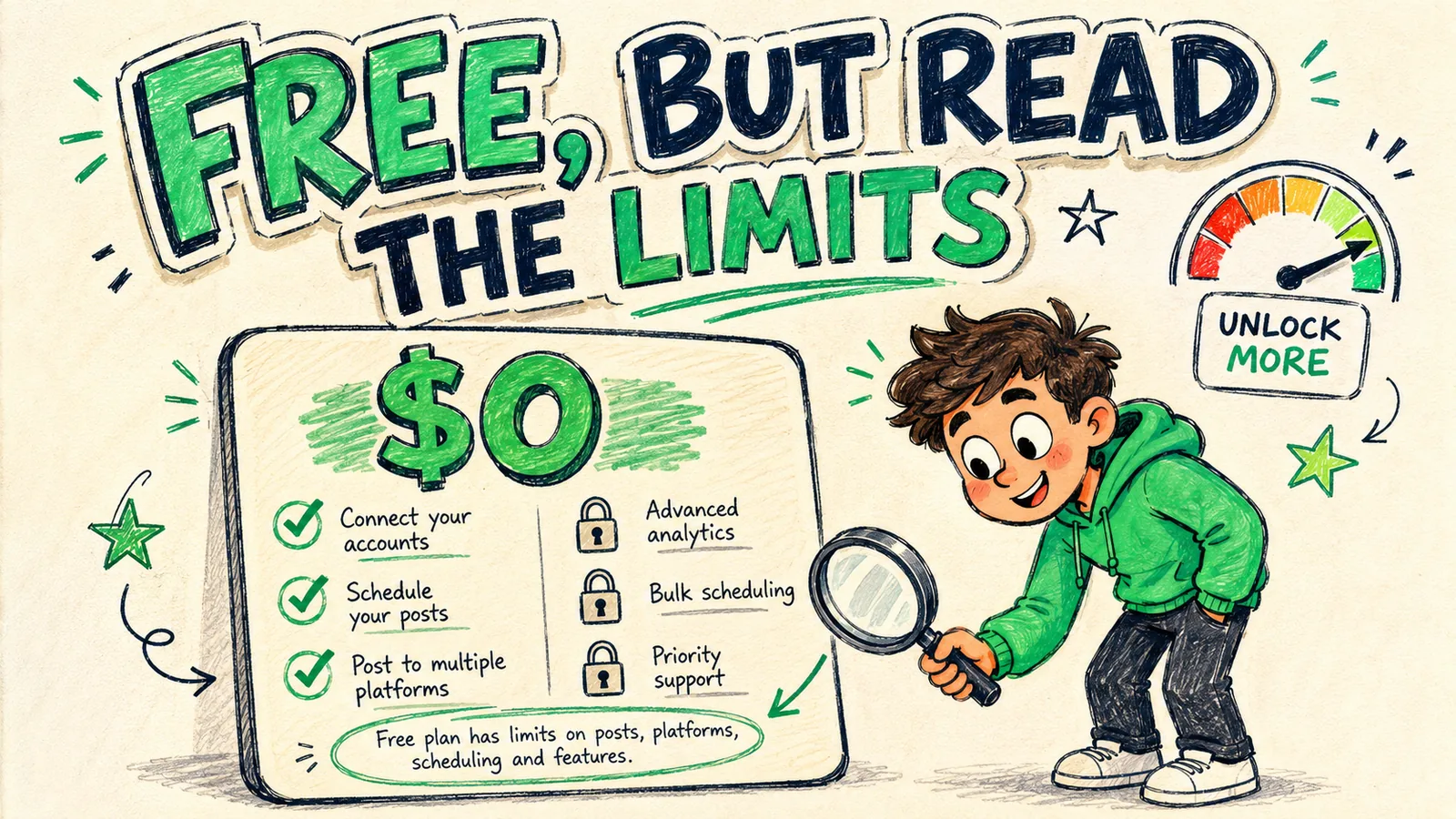
Yes, free social media schedulers exist, and several are genuinely good. The catch is always the limits: free plans cap how many accounts you connect, how many posts you queue per month, and which features you get. On two or three platforms a few times a week, a free plan is plenty. Post daily to five platforms and you'll hit the ceiling inside three weeks.
This guide covers the three different things people mean by "free", what free tiers actually include in 2026, the caps that bite first, the red flags worth walking away from, and the point where free quietly starts costing you more than paid.
Three different things people call "free"
Half the confusion around free schedulers comes from lumping these together. They behave completely differently once you depend on them.
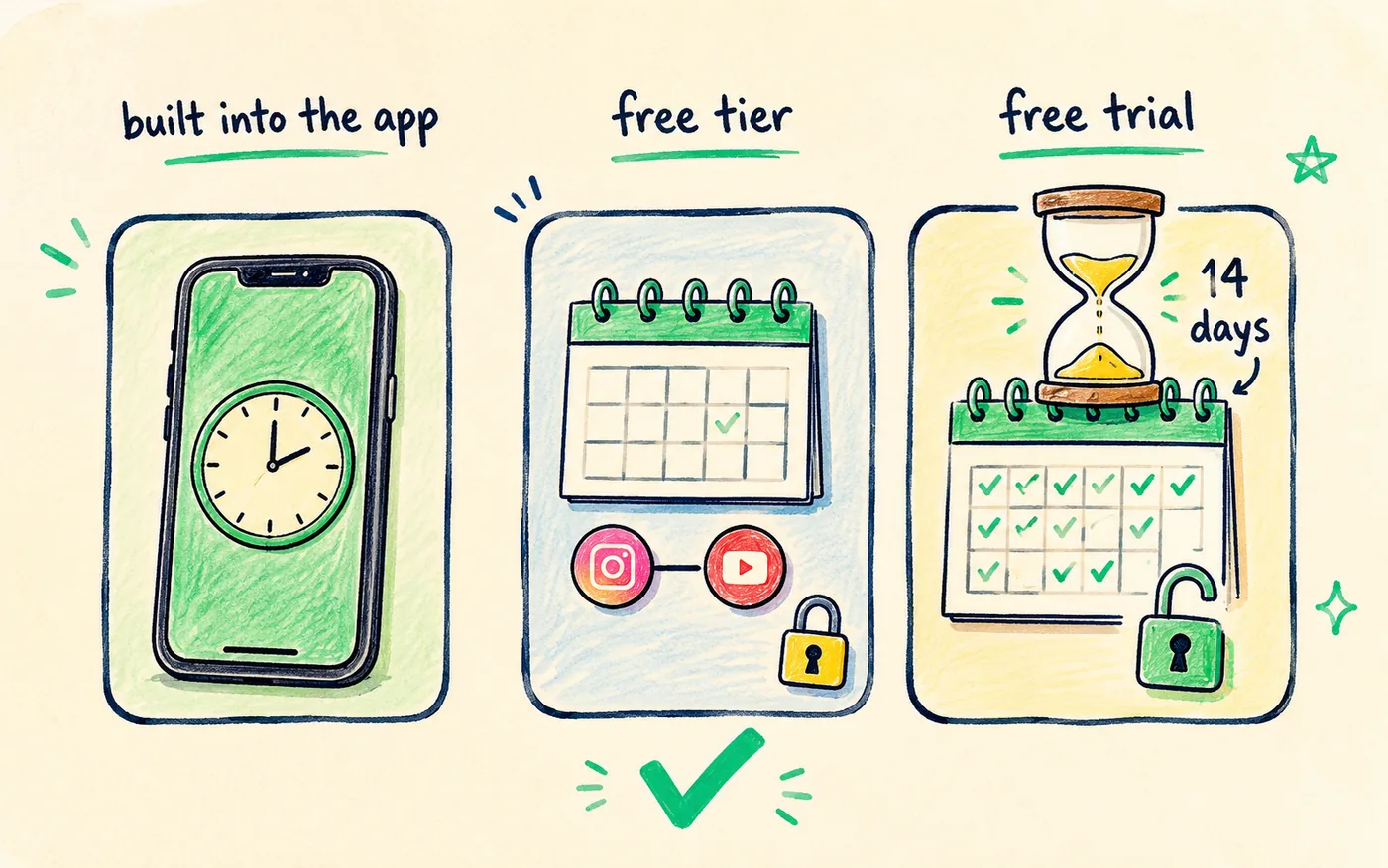
| Type | What it is | Runs out? |
|---|---|---|
| Built into the app | Native scheduling inside Instagram, TikTok, LinkedIn | Never |
| Free tier | A permanent free plan on a paid tool | No, but it's capped |
| Free trial | The full paid product for 7–14 days | Yes, then it stops |
| Freemium bait | A free plan too limited to be usable | Effectively immediately |
A free trial is not a free scheduler. It's a paid scheduler you haven't paid for yet, and building your whole workflow on one means rebuilding it in two weeks. Trials are useful for testing, not for running on. Judge a tool by its free tier, not its trial.
What free tiers usually include
Most free plans give you a working core. That's deliberate: the point is to let you feel the time saving, then charge you when you want more of it. Fair enough, as long as you know where the edges are.
- Two or three connected accounts, sometimes counted per platform rather than per profile.
- A monthly post cap, commonly 10 to 30 scheduled posts.
- A basic calendar to see the queue and drag things around.
- Core publishing to the major platforms, through official APIs on any tool worth using.
- One user, which is exactly right for a solo creator and useless for a two-person team.
That's enough to build the habit and confirm scheduling saves you real time, which is the whole reason to start free. If you're not sure what that habit looks like yet, start with how to schedule social media posts and come back once you know your cadence.
Where free plans cap you
The caps are how free tiers nudge you toward paying. Know them before you build a routine on top, so growth doesn't break your workflow.
| Limit | Typical free plan | Why it matters |
|---|---|---|
| Connected platforms | 2–3 | Cross-posting to 9 needs far more |
| Posts per month | 10–30 | Daily posting hits this in weeks |
| Analytics | Basic or none | You can't see what's working |
| Queue depth | 7–14 days ahead | Blocks month-at-a-time batching |
| Team members | 1 | Fine solo, blocking for two people |
| Support | Community, slow | Matters on the day a connection breaks |
The post cap is the one that bites first, and almost everyone underestimates it, because the number sounds generous until you multiply it.
The post cap math nobody does upfront
Here's where people get caught. Most free tiers count every published post, not every piece of content. Cross-post one clip to four platforms and that's four posts against your cap, not one.
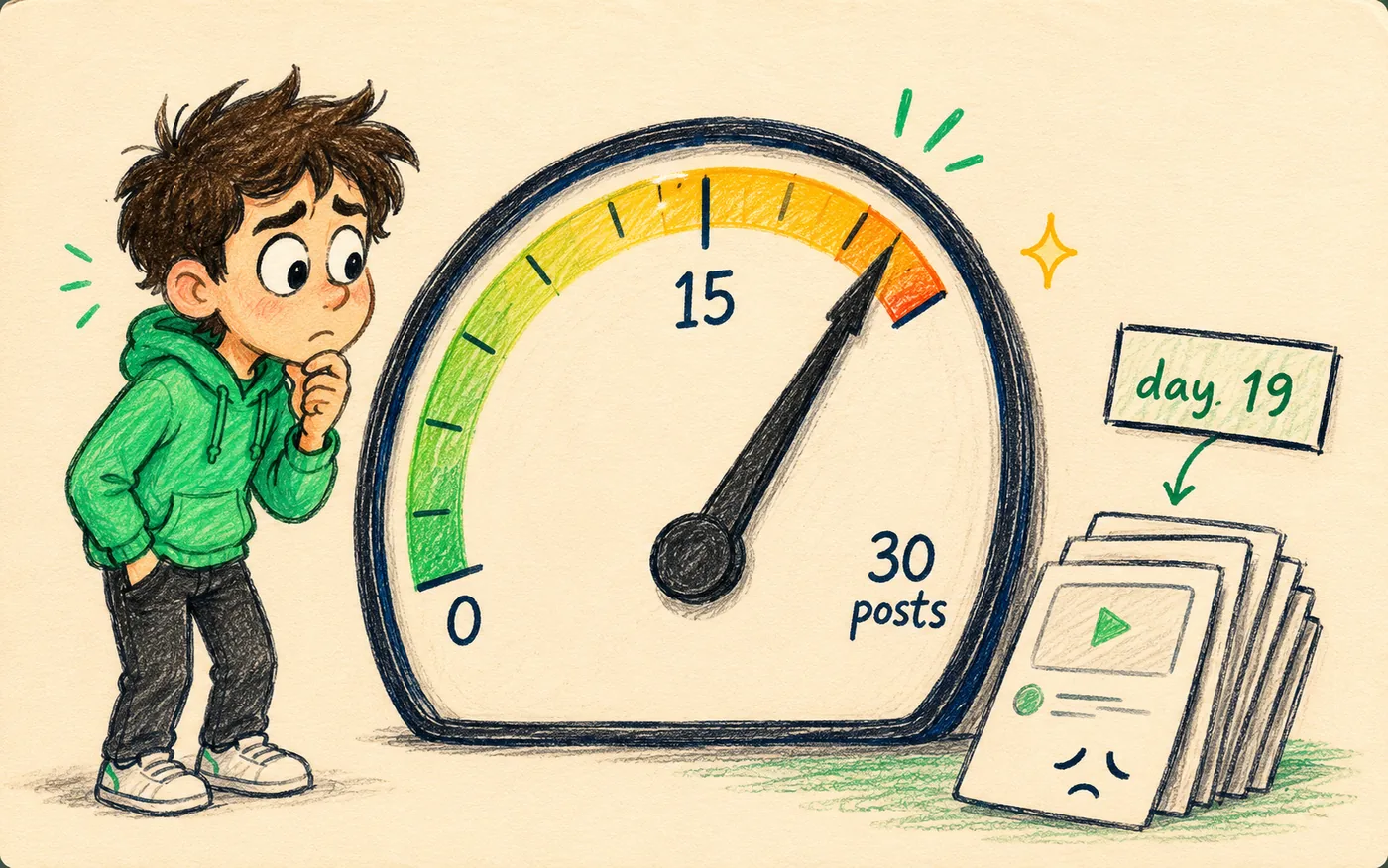
| Your setup | 30-post cap covers | Runs out |
|---|---|---|
| 2 platforms, 3×/week | 15 pieces of content | Never, comfortably under |
| 3 platforms, daily | 10 pieces | Day 10 |
| 4 platforms, daily | 7 pieces | Day 7 |
| 5 platforms, daily | 6 pieces | Day 6 |
Read that bottom row again, because it's the whole problem with free plans for cross-posters. The more platforms you're on — which is the entire point of cross-posting — the faster a shared cap disappears. A 30-post limit is a 30-day plan for one platform and a six-day plan for five.
Check how the cap counts
Before you commit, find out whether the free tier counts one cross-post to five platforms as one post or five. It changes the maths by 5x, and tools genuinely differ on this. It's usually buried in a pricing FAQ rather than on the pricing page.
Native scheduling is the most underrated free option
Before you sign up for anything, remember that several platforms schedule for free inside their own apps, with no caps at all. If you're on one or two platforms, this may be the entire answer.
| Platform | Native scheduling | Catch |
|---|---|---|
| Yes, professional accounts | Reels and feed only, no Stories | |
| Yes, via Pages | Pages only, not profiles | |
| TikTok | Yes, on desktop | Up to 10 days ahead, desktop only |
| Yes | One post at a time, no bulk | |
| YouTube | Yes | Full upload flow every time |
| X | Yes | Web composer only |
The catch isn't any single limitation in that table. It's that using six native schedulers means logging into six dashboards, keeping six mental calendars, and doing the app-switching you were trying to escape. Native scheduling scales beautifully to one platform and terribly to five, which is the honest case for a tool and the reason cross-posting to multiple platforms usually ends with one.
Is a free scheduler enough for you?
Run yourself through this. It takes ten seconds and saves you a migration.
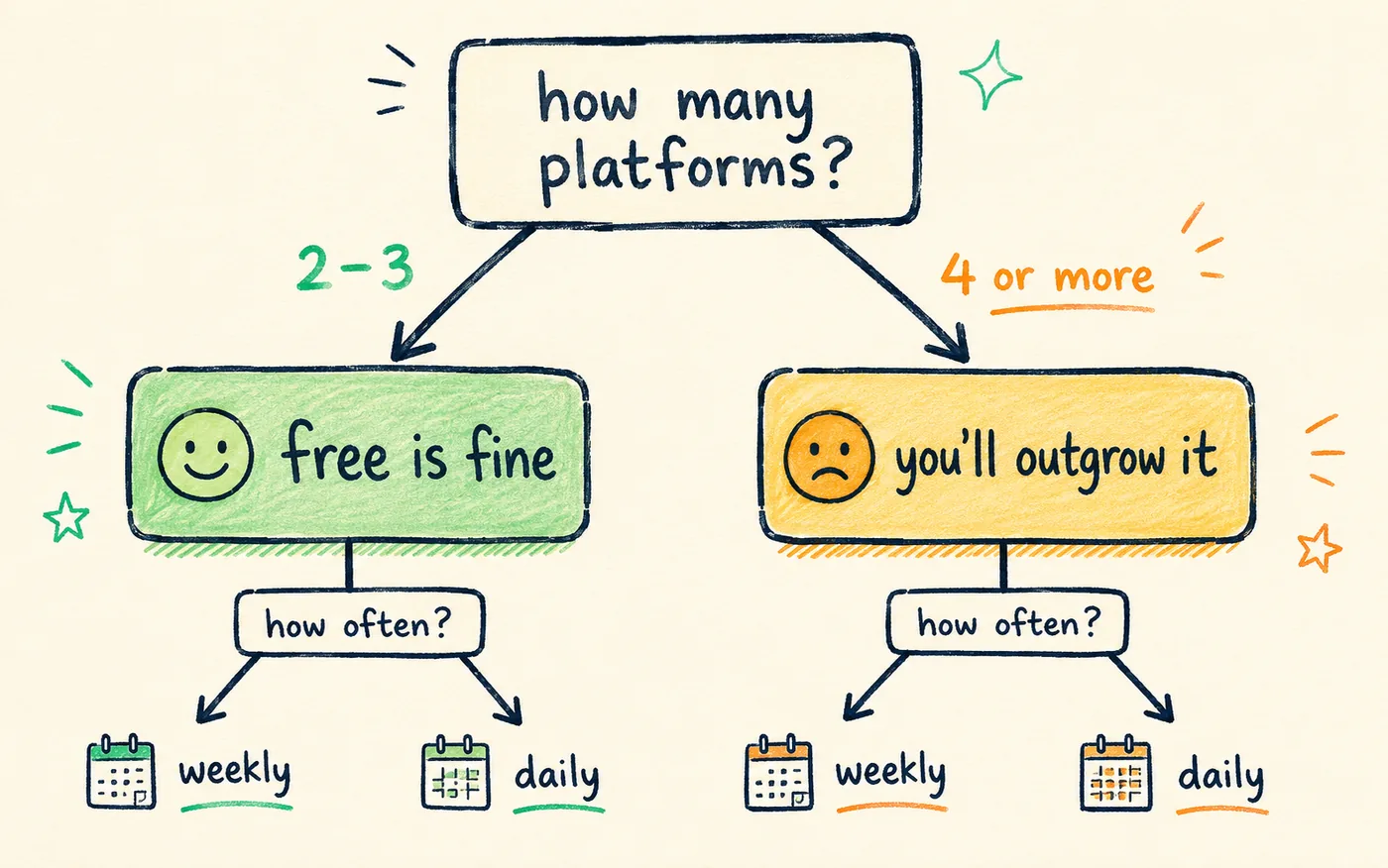
Free is probably enough if…
- You post to two or three platforms, not nine.
- You publish a few times a week rather than daily.
- You're still testing whether scheduling fits how you work.
- You don't need analytics yet because you don't have enough posts to draw a conclusion from.
You'll outgrow free if…
- You cross-post to four or more platforms, which is the actual point of cross-posting.
- You post daily and blow through a 30-post cap by the second week.
- You want to know which posts and times work instead of guessing.
- A failed post costs you something real, and you need support that answers.
Most creators sit on the free side for the first month or two and cross over the moment they add a fourth platform. That's a healthy progression, not a failure.
The hidden costs of "free"
Free is never entirely free. It's paid for somewhere, and it's worth knowing where before your whole workflow depends on it.
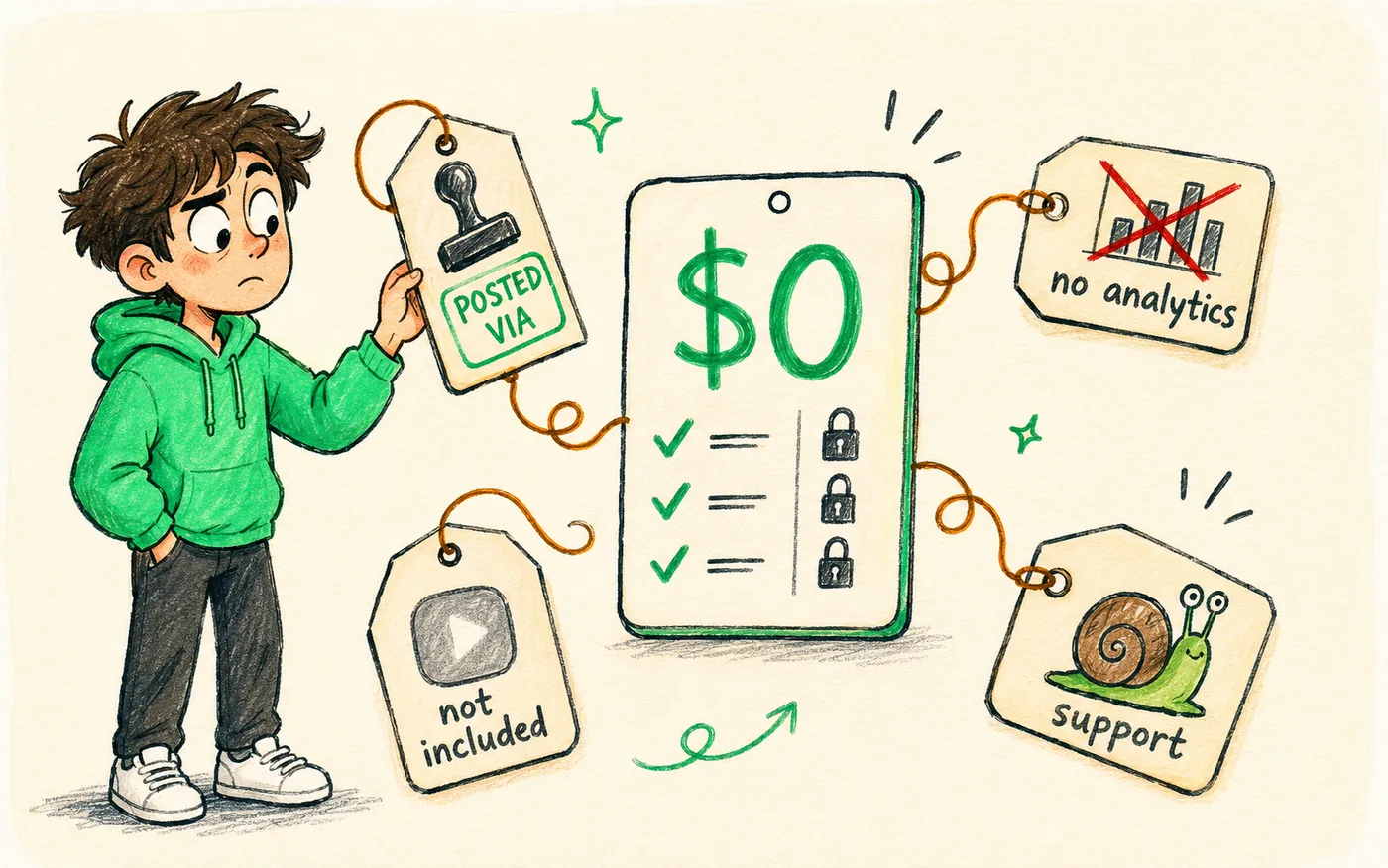
- Branding on your posts. Some free tools append a "posted via" tag. Your content ends up advertising for them at your expense.
- Missing platforms. The free tier often skips the exact network you care about, which you discover after you've set everything else up.
- No analytics. You post blind for months, which is the expensive one, because you learn nothing from the posts you do publish.
- Slow support. Free-tier tickets sit behind paid ones. That's fine until a connection breaks the morning of a launch.
- Migration pain. Outgrowing a tool means rebuilding your queue, your connections and your calendar somewhere else.
- Your data as the product. If the tool has no paid tier at all, ask yourself what it's monetising instead. Something always pays the server bill.
A free plan you have to work around costs more than a cheap plan you don't.
Red flags worth walking away from
Not every free plan is a smaller version of a good product. A few are traps, and they share the same three tells.
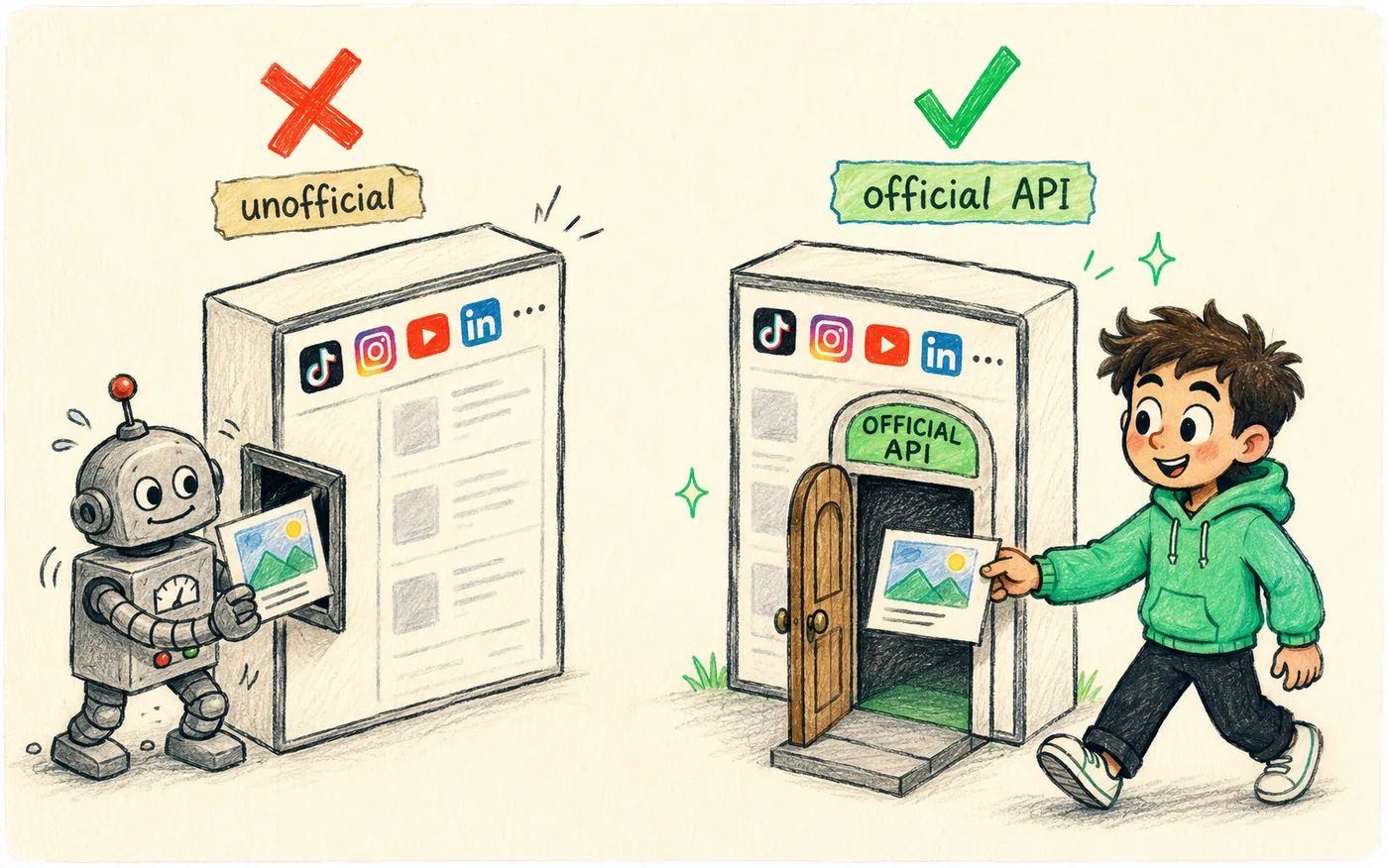
The first is unofficial publishing. Some free tools don't use platforms' official APIs — they automate a browser session or use a reverse-engineered endpoint. These break constantly, and worse, they make your account look like it's being operated by a script, which is exactly the pattern spam systems watch for. No free tool is worth that risk, and the mechanics of how flagging works are covered in cross-posting without getting shadowbanned.
The second is branding stamped onto your content. A watermark or a "posted via" line makes your posts look like a demo of someone else's product. On short-form video especially, foreign branding is exactly the kind of signal platforms deprioritise.
The third is a tool built to trap rather than serve. If you can't export your scheduled content, or downgrading deletes your queue, the free tier is bait. Good free plans are useful on their own terms and make both upgrading and leaving painless.
The one check to run before you trust any scheduler
Publish one real post through it, to your smallest account, and watch what appears. Does it look native? Any added branding? Did it land on time? Two minutes of testing beats a month of assuming.
Free vs paid: the honest math
The question isn't whether a free option exists. It's whether free saves you money or quietly costs you more in workarounds and missed reach.
| Factor | Free plan | Paid plan |
|---|---|---|
| Monthly cost | $0 | Low single-to-double digits |
| Platforms | 2–3 | All of them |
| Posts per month | 10–30 | Effectively unlimited |
| Analytics | Basic or none | Full |
| Your time cost | Manual workarounds | None |
| Best for | Testing, light cadence | Daily cross-posting |
Run it on your own numbers. If a free plan's caps push you into posting three platforms by hand for two weeks a month, that's roughly four hours of manual uploading. Price your own hour and compare it to the subscription. For most people posting daily, the paid plan wins on the first week, and it isn't close. The tool comparison lives in the best social media scheduler for creators.
Start free on Crossposting, upgrade only when your posting volume does. Same queue either way.
Try it freeHow to stretch a free plan further
If you're staying on free for now, a few habits push the ceiling much further out.
- Connect your best two platforms, not your favourite four. A small cap spread thin helps nobody.
- Queue only your strongest content. When every post costs a slot, filler stops being tempting, which is quietly a good thing.
- Post to overflow platforms by hand while the tool handles the main ones. Ten minutes a day is survivable for a while.
- Use whatever analytics you get to work out which platform actually deserves your energy before you pay for more.
- Batch on the first of the month so you can see your whole cap at once instead of discovering it on day 19. The method is in bulk-scheduling a month of content.
Treat the free plan as a proving ground. Use it to learn which platforms are worth your time, so when you upgrade you know precisely what you're buying instead of guessing at a pricing page.
When it's time to upgrade
You've outgrown free when two or more of these are true. None of them is a failure — they're all evidence your posting grew.
- You're rationing posts near the end of the month, or skipping a platform to stay under the cap.
- You're uploading to overflow platforms by hand because the free tier won't connect them.
- You can't tell what's working because there's no analytics, so you're improving nothing.
- A broken connection cost you a launch, and support took three days.
- You added a second person and the free plan is single-user.
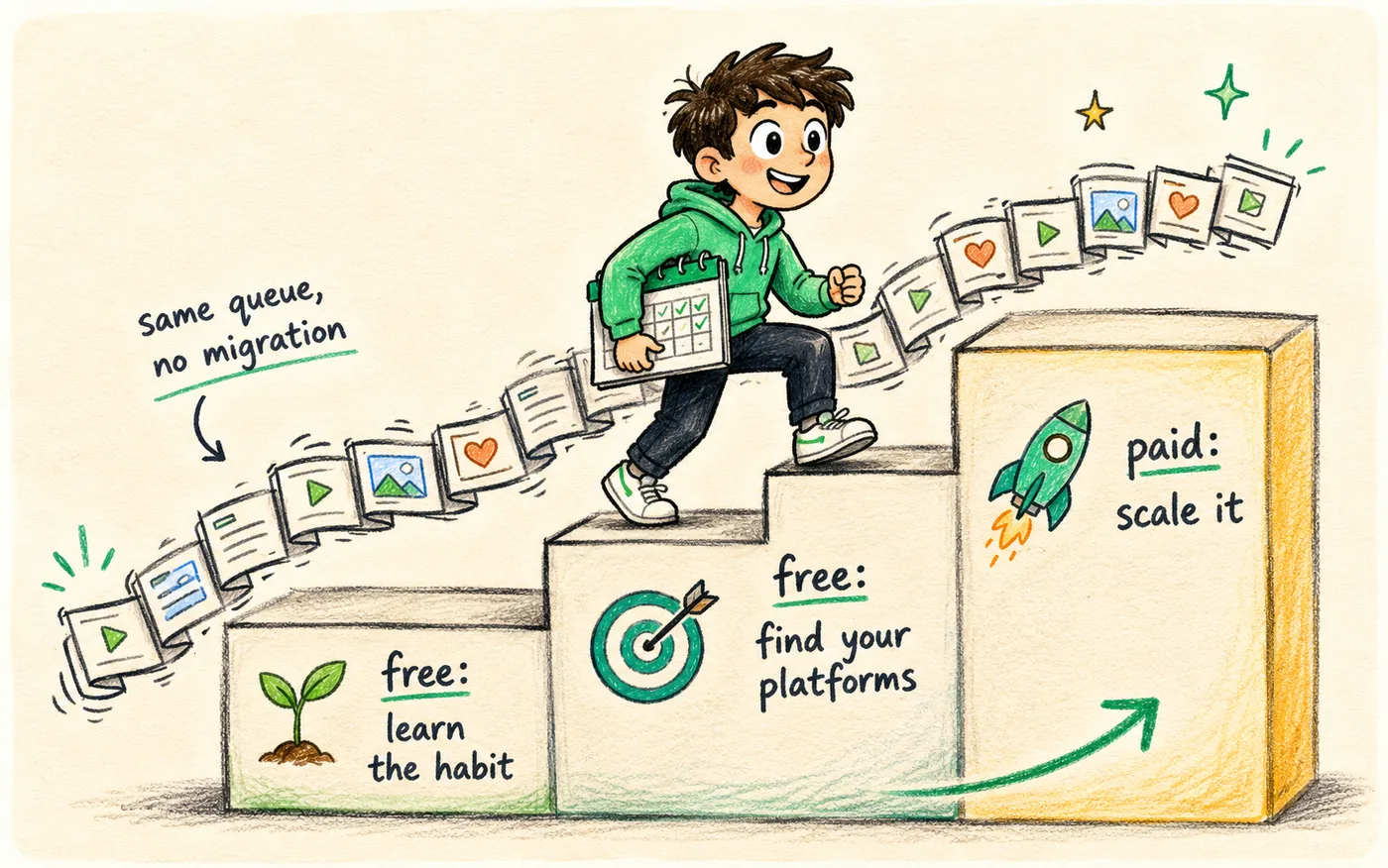
When you do move, pick a tool where free and paid live under the same roof, so upgrading keeps your existing queue, connections and calendar intact. That continuity is the difference between a five-minute upgrade and a weekend of rebuilding.
How free tiers actually make money
Understanding the business model tells you which limits will move and which never will. Free plans exist for one of three reasons, and each produces a different kind of ceiling.
The most common is the funnel: the free tier is a working sample of a paid product, sized so that anyone serious outgrows it. These are the good ones. The product is the product, you're just using a smaller portion of it, and the caps are set at the point where your usage starts costing the company real money in API calls and storage. Nothing about your data is being sold, and the upgrade is a genuine upgrade rather than a rescue from artificial pain.
The second is the loss leader inside a bigger suite. Scheduling is free because the company wants you in its ecosystem, where it sells you analytics, ads management, or an agency plan. These free tiers can be surprisingly generous, but the roadmap follows the paid product, so the features you care about as a solo creator tend to arrive last or never.
The third has no paid tier at all, and that's the one to think about. Servers, API access and storage all cost money. If nothing is being charged, something else is paying, and it's usually your data, your attention, or a plan to change the terms once enough people depend on it. Not automatically disqualifying, but worth asking about before you make it load-bearing.
A free stack that genuinely works
If you want to stay at zero for now, the trick is to stop looking for one free tool that does everything and instead combine the free things that are actually unlimited.
- 1Use native scheduling on your two biggest platforms. No caps, no third party, no connection to expire. This carries most of your volume.
- 2Put a free tier on top for the rest, and reserve its limited post slots for the platforms with no usable native scheduler.
- 3Keep one master folder of clean 9:16 exports so any platform can be served from the same file in seconds.
- 4Write your captions in one document, adapted per platform, so publishing by hand takes a paste rather than a rewrite.
- 5Batch on a fixed day so the manual parts happen once a week instead of leaking into every day.
This stack costs nothing and handles roughly four platforms at a daily cadence. What it costs is context-switching, and that's the honest trade: you're paying in attention instead of money. That's a good deal at the start and a bad one once your posting is the thing driving your business. The mechanics of the batching half are in content batching for creators.
What your first month on free usually looks like
Here's the shape of it, based on how the free-to-paid path tends to go for creators posting daily to three or four platforms.
| Week | What happens | How it feels |
|---|---|---|
| Week 1 | Connect accounts, queue your first batch | Relief, the time saving is obvious |
| Week 2 | Habit forms, you add a platform | Good, and the cap is still distant |
| Week 3 | Cap gets close, you start rationing | Mildly annoying |
| Week 4 | Manual posting returns for overflow | The decision point |
Week four is where you learn something useful about yourself. If manual overflow posting doesn't bother you, free is fine and you should stay. If you notice you skipped two days rather than open the apps, that's your answer: the friction is already costing you posts, and posts are the only input you control.
How to choose a free scheduler without regret
- 1List your platforms first, then check the free tier covers every one of them. Not most. Every one.
- 2Check how the post cap counts a cross-post — one post or one per platform. This single answer is worth 5x either way.
- 3Confirm it publishes through official APIs. If the site won't say, assume it doesn't.
- 4Publish one real post through it before you trust it with a week of content.
- 5Look at the upgrade path before you need it, so growing doesn't mean starting over somewhere else.
Do those five in order and you'll either find a free plan that genuinely fits your cadence, or you'll find out in ten minutes that it doesn't, which is just as useful.
Frequently asked questions
Is there a completely free social media scheduler?
Yes. Several platforms include native scheduling at no cost inside their own apps, and most scheduling tools offer a permanent free tier covering 2–3 accounts and 10–30 posts a month. Both are genuinely free. The limits are on volume and platform count, not on time.
What's the catch with free schedulers?
The caps. Free plans typically allow 2–3 connected accounts and 10–30 posts a month, with basic or no analytics and slower support. Some add their own branding to your posts. That's workable for a light cadence and tight for daily cross-posting to several platforms.
Can I schedule to all platforms for free?
Usually not through one tool, because free tiers limit connected accounts to two or three. You can schedule to every platform for free using each one's built-in scheduler, but that means managing several dashboards. For four or more platforms in one calendar, expect to pay.
Does one cross-post count as one post or several?
It depends on the tool, and it's the most important question to ask. Many free tiers count each published destination separately, so one clip sent to five platforms uses five of your monthly posts. That turns a 30-post cap into six days of daily posting.
Should I start free or pay right away?
Start free if you're on two or three platforms or still testing the habit. Move to paid when you cross-post daily to several platforms, hit the cap, or need analytics and reliable support. Choose a tool whose upgrade keeps your queue so you never have to rebuild.
Are free schedulers safe for my accounts?
They are if they publish through official platform APIs, which is the same route paid tools use. Avoid anything that automates a browser session, asks for your platform password directly, or won't say how it publishes. That's what puts accounts at risk, not the price.
Bottom line
Free social media schedulers are worth using, especially early on or when you're posting to a couple of platforms. Read the limits before you build a routine on top of one: connected accounts, how the monthly cap counts a cross-post, analytics, and whether it publishes through official APIs. Those four answers tell you everything.
If daily cross-posting to several platforms is the goal, plan for the day free stops being enough, and pick a tool where that day costs you an upgrade click instead of a migration. Want to start free and grow without switching tools? Try Crossposting.
Put this into practice
Schedule a week of content to every platform in one sitting. Free to start, no card today.
Try Crossposting free