How to Bulk-Schedule a Month of Content in One Sitting
The batching system creators use to schedule a month of posts in one afternoon, then stay off the apps for weeks.
The Crossposting Team
Crossposting.xyz
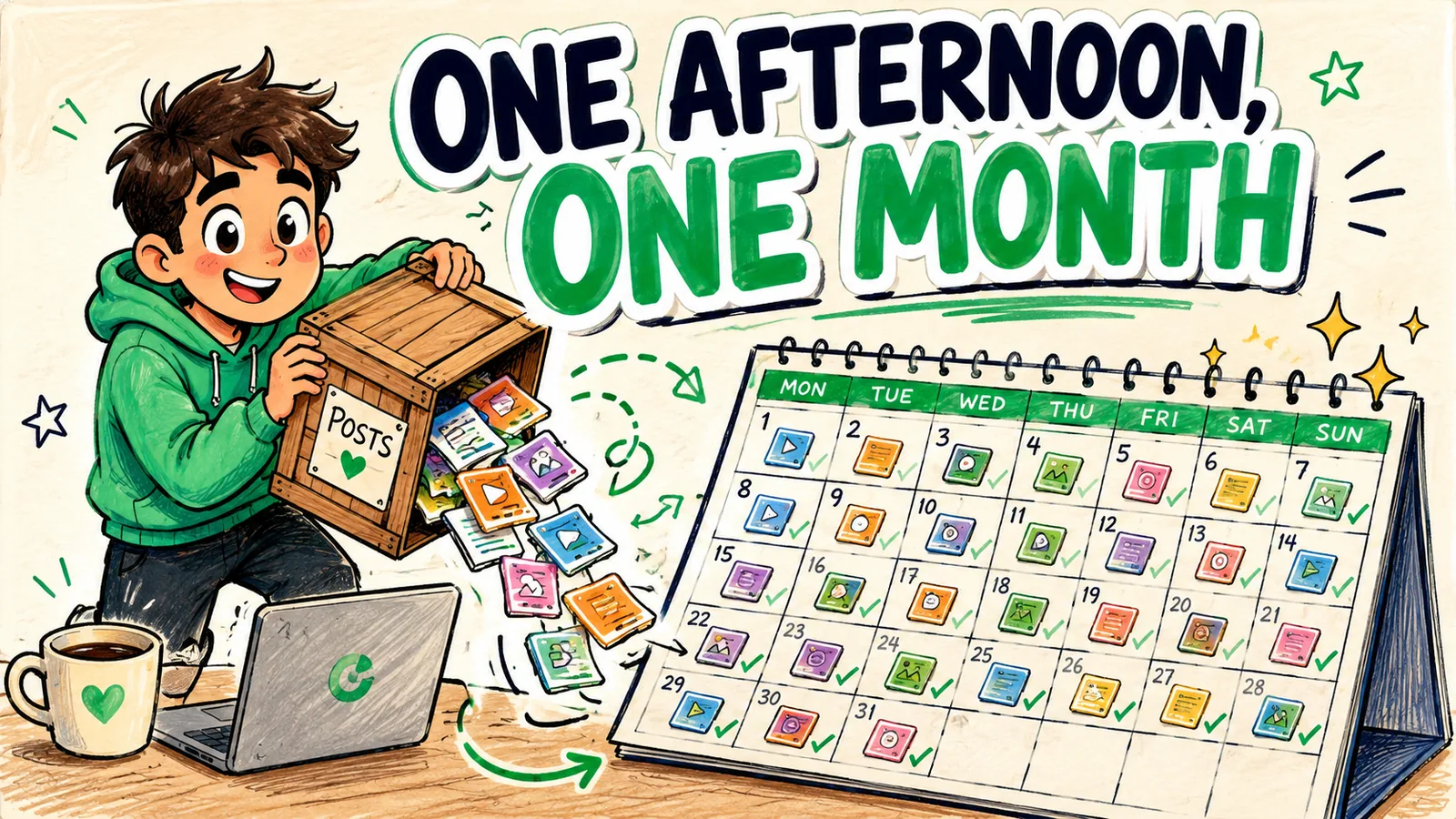
Bulk-scheduling means loading a large batch of posts into your queue in one session, so publishing runs on its own for weeks. There's no magic button involved. It's two batches stacked together: you produce a month of content in a couple of sittings, then load the whole thing into a calendar in one pass.
This guide covers when bulk-scheduling is worth it and when it isn't, the four-step system from idea list to loaded queue, the bulk-upload shortcut that turns a folder of clips into a full month, how to distribute posts so the month doesn't read as automated, and the failure modes that make people abandon it after one try.
Why bulk-schedule instead of doing it weekly?
Every posting session has a fixed cost that has nothing to do with the posts themselves: opening the tools, remembering the plan, getting back into the headspace. Call it fifteen minutes. Pay it daily and you've spent seven hours a month on overhead alone.
Bulk-scheduling pays that cost once. The output is identical. The difference is entirely in how many times you had to start.
| Approach | Sessions per month | Overhead |
|---|---|---|
| Post live daily | ~30 | ~7 hours of setup alone |
| Schedule weekly | 4 | ~1 hour |
| Bulk-schedule monthly | 1 | ~15 minutes |
The overhead column is the argument. Notice it says nothing about content quality, because batching doesn't improve your ideas. It just stops the admin from eating the time you'd use to have them.
- Consistency through bad weeks. Travel, a launch, a flu. None of it creates a gap in the feed.
- Deep work stays protected. You're not pulled into five apps every morning at the exact moment you had focus.
- Content gets better, not worse. Planning twenty pieces at once makes you think in series and themes instead of scrambling for something to say by lunchtime.
- The apps lose their grip. Opening TikTok to post is how forty minutes disappear. Not opening it is the feature.
When bulk-scheduling is the wrong call
It isn't for everyone, and pretending otherwise is how people end up with a stale month of posts they resent.
If your content is reactive by nature, commentary on news, trends, or whatever happened in your niche this week, a month-ahead queue will fight you constantly. Schedule a week instead and keep the flexibility. If you're still figuring out what your content even is, batching thirty pieces of the wrong thing is an expensive way to learn that. Post daily for a month first, see what lands, then batch what works.
Bulk-scheduling suits evergreen formats: tutorials, explainers, results, stories, anything that's as true in three weeks as it is today. Most creators end up with a mix, an evergreen bulk batch as the floor and reactive posts dropped in on top. That's the setup that survives.
Step 1: batch the production
You cannot bulk-schedule what you haven't made, so the first half of bulk-scheduling isn't scheduling at all. This is where the time actually goes, and it's the part people underestimate.
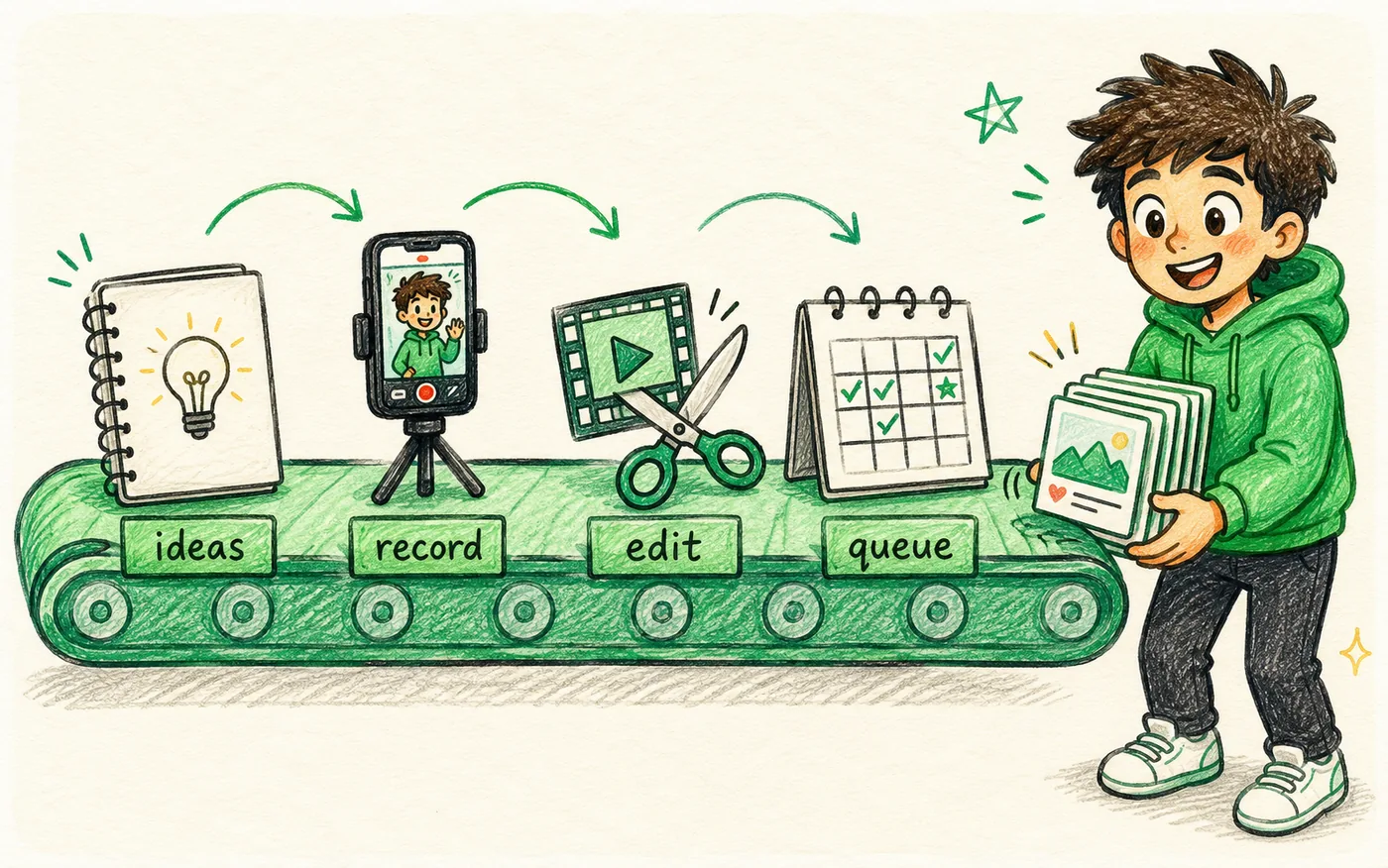
- 1Brainstorm in one sitting. Aim for 25 to 30 hooks. You'll cut a third of them, which is why you overshoot. Group what's left into three or four themes so the month has a shape.
- 2Batch-record on one or two days. Same lighting, same setup, same outfit if you can stand it. Run down the hook list without reviewing takes as you go.
- 3Batch-edit together. Editing twenty clips in a row is dramatically faster than editing one clip twenty times, because you stop relearning the timeline every session. Export clean 9:16 files with captions burned in.
- 4Write the captions while it's fresh. Do this the same day as the edit. Two weeks later you won't remember what clip fourteen was arguing.
The 80/20 of batching
Setup is the expensive part. Lighting, framing, tidying the background, getting past the awkward first two takes. Once you're there and warm, filming the tenth clip costs almost nothing. That single fact is the whole economic case for batching, and it's covered in more depth in content batching for creators.
One honest warning: your twentieth clip in a session will be worse than your fifth. Energy fades and it shows on camera. Plan for it by putting your most important hooks early in the list, and stop when you feel yourself going flat rather than pushing to hit a number. The full habit is broken down in content batching for creators.
Step 2: load the batch into the queue
With the content ready, the scheduling itself is fast. There are two ways to do it and the right one depends on how much you're loading.
One at a time, in the calendar
Drop each clip into the composer, pick its platforms, set the time, schedule. It's slower but you see every post as you place it, which catches mistakes. Perfectly fine for a week. Genuinely tedious for a month.
Bulk upload
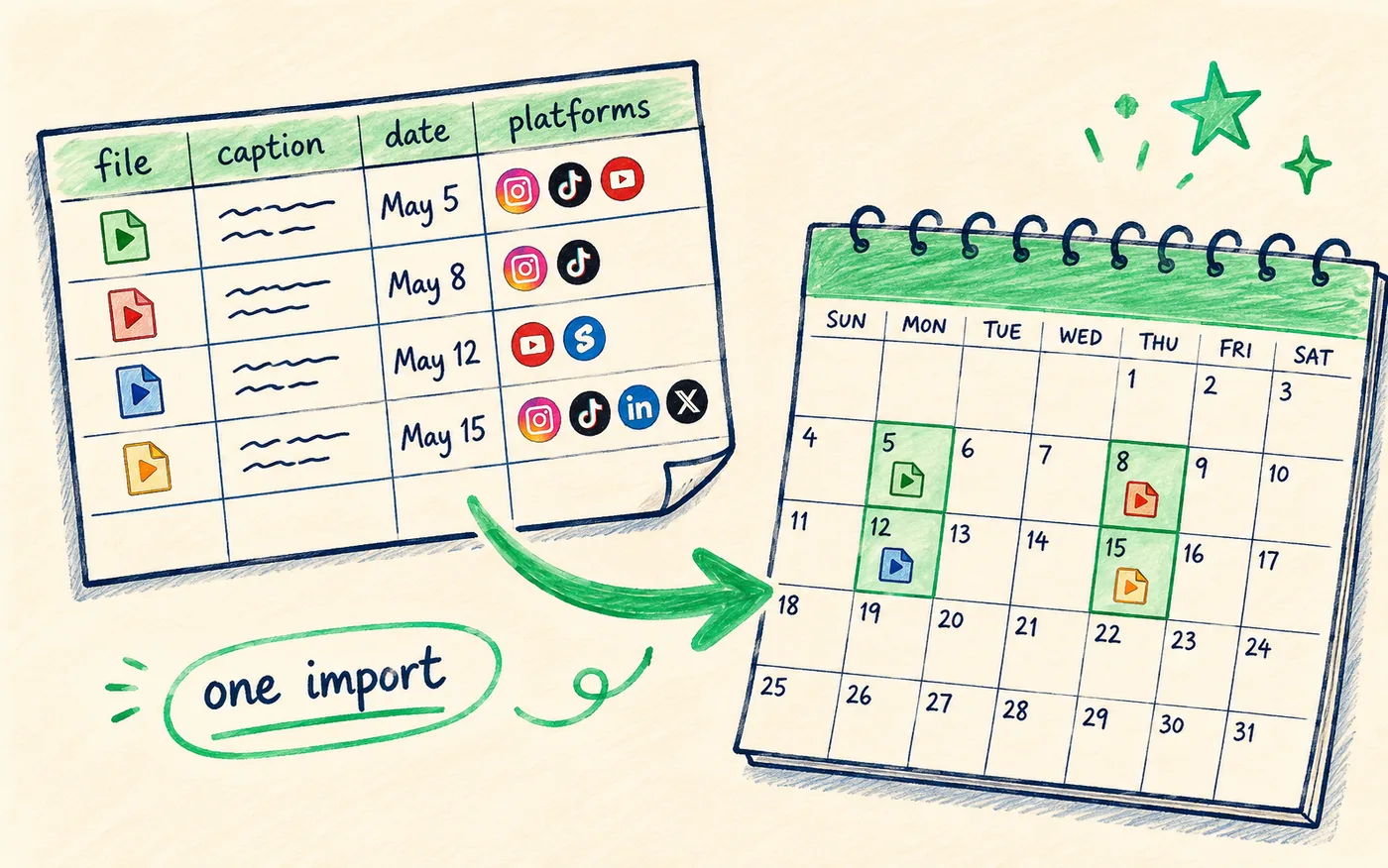
Better tools let you drop in many files at once, or import a spreadsheet mapping files to captions, dates and platforms, and auto-place everything into your preset slots. This is where a month stops being an afternoon and becomes twenty minutes.
The spreadsheet route has a hidden benefit: writing thirty captions in a sheet is much faster than writing thirty captions in thirty separate composer boxes, because you can see them all and spot where you've repeated yourself.
| Method | Good for | Time for 30 posts |
|---|---|---|
| One at a time | A week, or careful placement | 60–90 min |
| Bulk media upload | A month of similar clips | 20–30 min |
| Spreadsheet import | A month with varied captions | 15–20 min plus writing |
Whichever route you take, the general mechanics of connecting accounts and setting per-platform times are the same as any other queue, and they're covered step by step in how to schedule social media posts.
Step 3: distribute across platforms and days
Bulk doesn't mean dumping. A month loaded badly is worse than a week loaded well, because the mistakes repeat thirty times before you notice.
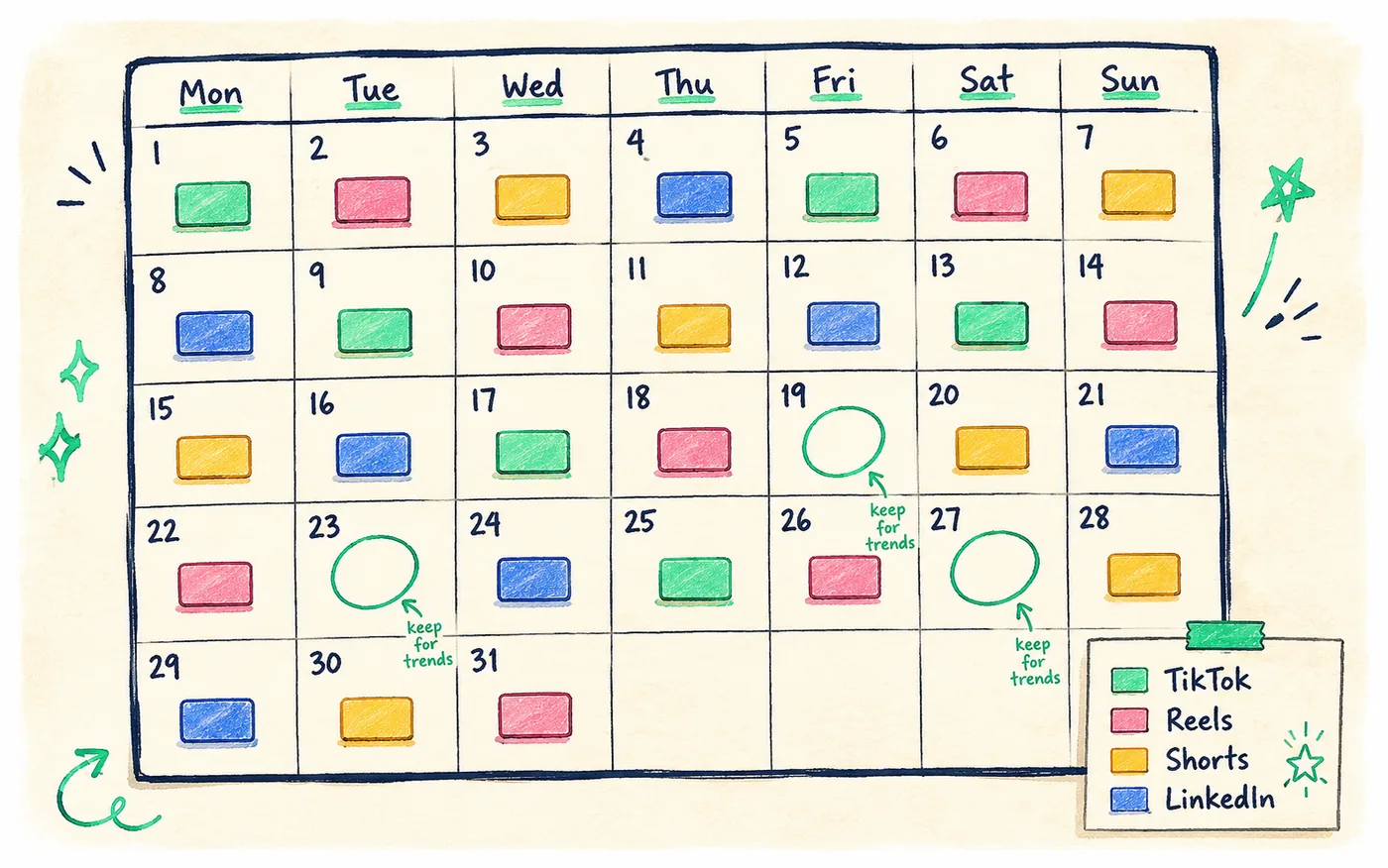
- One post a day per platform is the sustainable default. Three a day for a week then silence is worse than one a day forever.
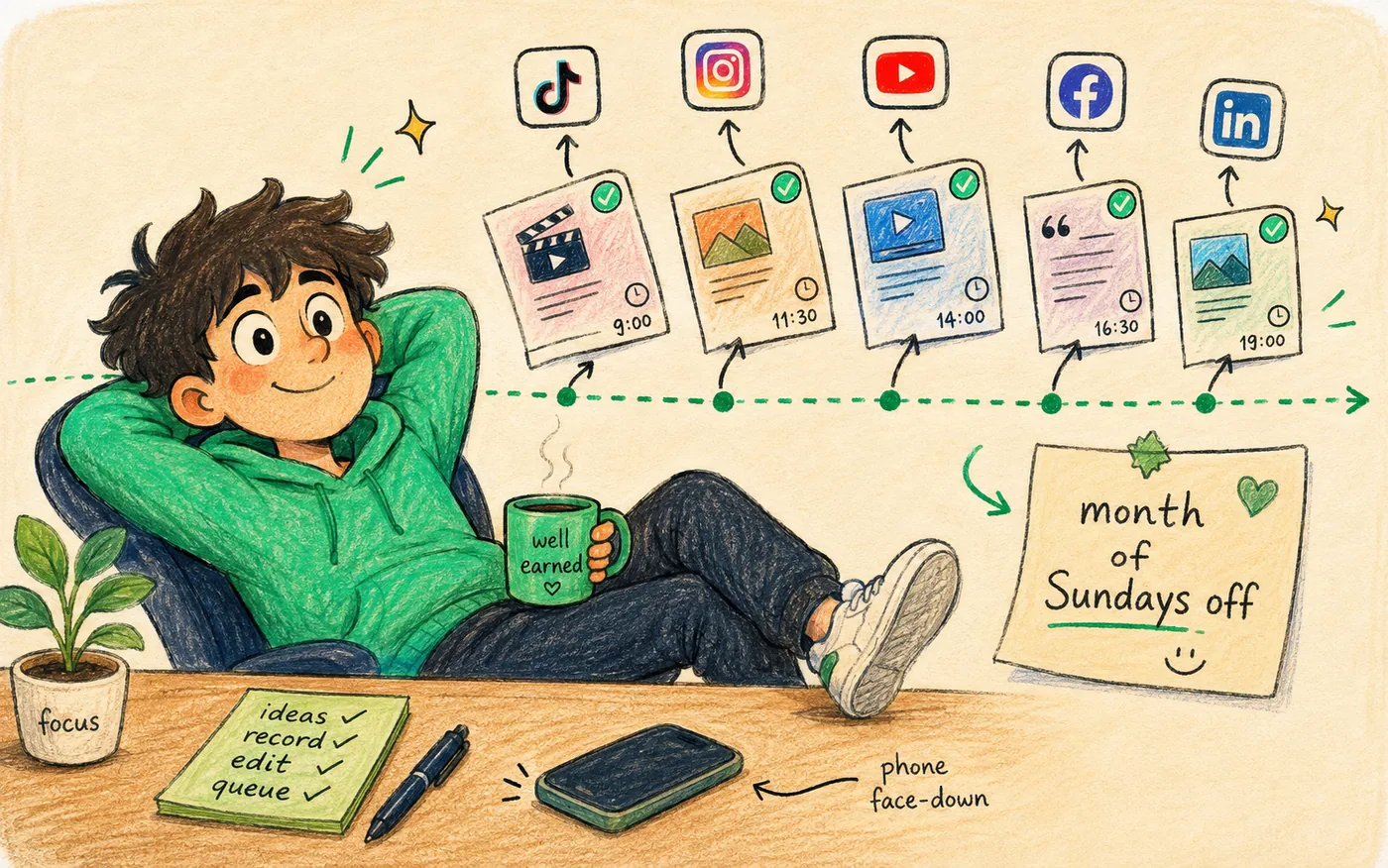
- Stagger the times. The same clip hitting five feeds in the same minute is the single most obvious tell that a queue is running the account. Twenty to forty minutes apart is enough.
- Cross-post every clip. One export, many feeds. Posting a clip to one platform when it works on five is the most expensive habit in creator work. See how to cross-post to multiple platforms.
- Vary the caption per platform. Ten minutes across the batch, and it's the difference between reading like a person and reading like an export.
- Leave four to six slots empty. Roughly twenty percent of the month, kept for trends and anything worth reacting to.
Identical captions fired simultaneously across every platform is also one of the patterns that gets cross-posters flagged, which we unpack in cross-posting without getting shadowbanned.
Bulk-schedule a month to every platform in one sitting with Crossposting.
Try it freeStep 4: review once, then walk away
Open the month view and read it like a stranger would. You're looking for four things and it takes about five minutes.
- 1Gaps. Any run of two or more empty days that wasn't deliberate.
- 2Clashes. Two posts stacked an hour apart, or three similar clips landing in the same week.
- 3Expiry dates. Anything referencing a date, a season, or something in progress that will look odd in week four.
- 4Missing platforms. The one account you forgot to tick on half the batch. It's usually LinkedIn or Pinterest.
Read the first line of each caption while you scan. Thirty posts written in one session tend to open the same way, usually with a question, and that repetition is invisible while you're writing and obvious when the month plays out. Rewriting four openers is a two-minute fix at this stage and impossible later.
Fix it with a few drags, then close the laptop. Your only job for the next month is showing up in the comments when posts land, which is the part no tool can do for you.
The review is five minutes that saves you from noticing your own mistake thirty times in a row.
Bulk-scheduling mistakes that make people quit
When someone tries this once and goes back to daily posting, it's nearly always one of these, and none of them is bulk-scheduling itself.
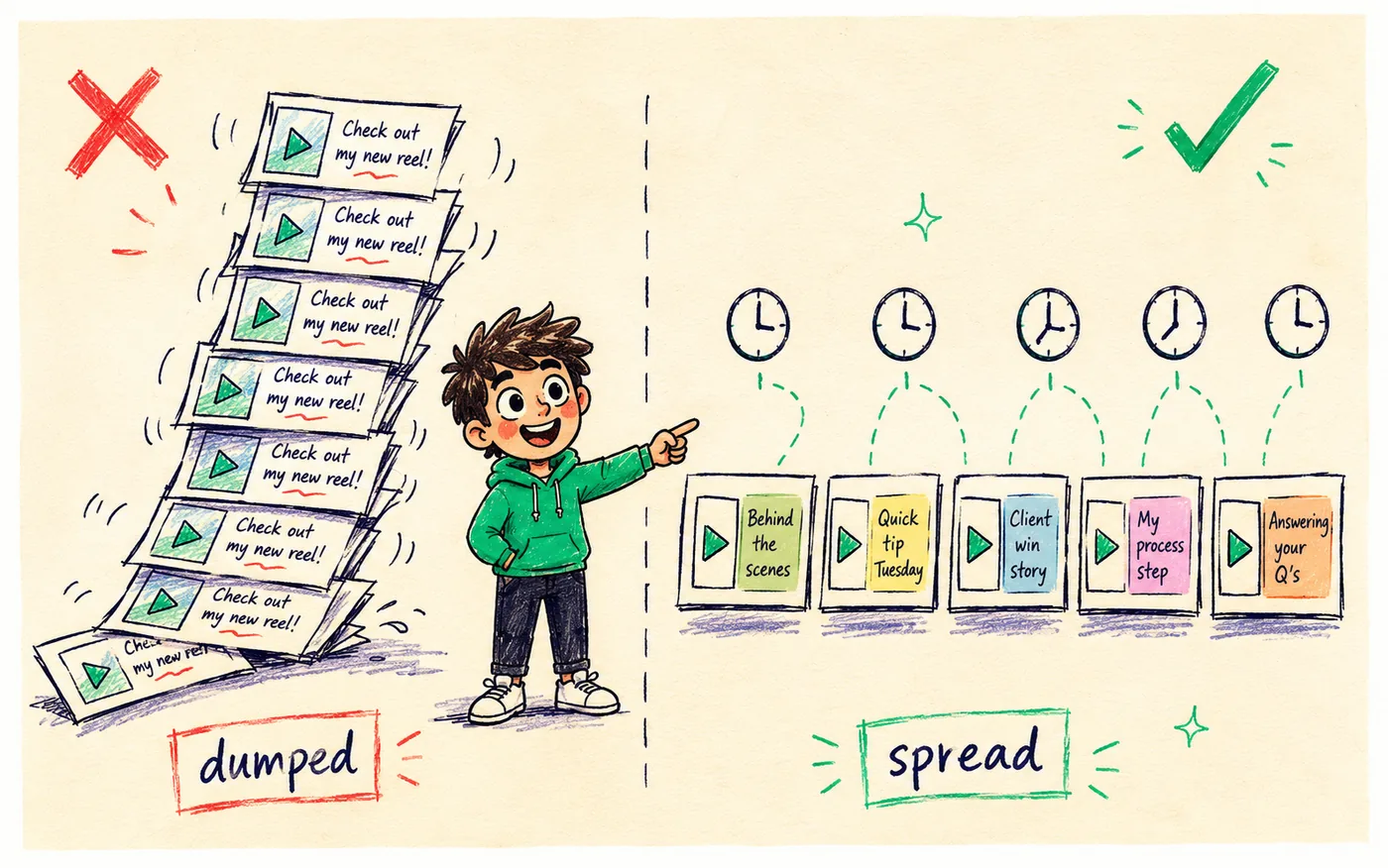
- Scheduling so far ahead it goes stale. A month is the sweet spot. A rigid quarter is a plan you'll be embarrassed by in week six.
- Disappearing entirely. A queue handles posting, not replying. If nobody's home in the comments, engagement drops and you'll blame the automation.
- Identical captions everywhere. Reads as a bot to humans, and looks like one to spam filters.
- No room for trends. A full month with zero gaps means the one genuinely timely thing you wanted to post gets skipped.
- Filling slots to hit a number. A queue makes it very easy to publish something you don't believe in. Empty slots beat weak posts, every time.
That third point deserves the ten minutes it costs. Read the batch back on a Sunday and ask whether you'd stop scrolling for any of it. Some months the answer is no, and it's much cheaper to find that out before publishing thirty of them.
A realistic month-in-an-afternoon session
Concrete beats abstract, so here's a session that genuinely produces a month across every platform. Four hours, one Saturday.
| Block | What happens | Output |
|---|---|---|
| Hour 1 | Brainstorm 25 hooks, group into 4 themes | A list, not a script |
| Hour 2 | Film 20–25 clips back to back | Raw footage |
| Hour 3 | Cut, caption, export clean 9:16 files | 20+ finished clips |
| Hour 4 | Write captions, bulk-upload, distribute, review | A loaded month |
Four hours once a month, against roughly forty-five minutes a day doing it live. That's the trade, and it's not close. Week two of the month is when it stops feeling theoretical, because you'll catch yourself not thinking about posting at all.
If four hours in one block isn't realistic, split it: hooks and filming on Saturday, editing and scheduling on Sunday. The batching benefit survives the split. What doesn't survive is spreading it across five evenings, because then you're paying the setup cost five times again.
Keeping a bulk-scheduled month from feeling dated
The one real risk with scheduling far ahead is content planned in week one landing in week four with the wrong tone. Four habits handle it.
- Bias the batch toward evergreen. Tips, explainers and stories age slowly. Commentary ages in days.
- Keep 20% of slots open and fill them live during the month.
- Skim the queue every Sunday. Two minutes. Swap out anything overtaken by events.
- Run a rolling idea list so filling a reactive slot takes five minutes, not an hour of staring.
Think of the bulk queue as a floor that guarantees you never go silent, not a script you're locked into. The evergreen batch carries the weight, and the open slots keep you current. If you want more posts out of each recording session without more filming, that's the job of repurposing one video into ten posts.
What to look for in a tool
Bulk-scheduling by hand works, it's just slow. Four features are what actually separate a twenty-minute month from a two-hour one.
- Bulk media upload. Drop a folder in, not one file at a time.
- Spreadsheet or CSV import. Map files, captions, dates and platforms in a sheet and import the lot.
- Preset time slots. The tool auto-places posts into your chosen daily windows instead of asking you to pick a time thirty times.
- One-action cross-posting. Each clip goes to every platform in a single step, with per-platform captions, rather than scheduling the same clip five separate times.
That last one matters more than it sounds. Without it, a thirty-post month across five platforms is a hundred and fifty scheduling actions, and no amount of discipline makes that a habit. Options and pricing are compared in the best social media scheduler for creators, and if you want to test the habit before paying for it, free tiers will carry a light month.
Stretch the batch further before you schedule it
Twenty-five clips is a month at one post a day on one platform. The same twenty-five clips can fill a month across five platforms with room to spare, because a filming session produces more than the videos you planned.
Every clip has a spare thumbnail worth posting as an image, a line in the script worth posting as text, and a stronger idea buried in the middle that deserves its own clip. Pull those out while you're editing, when the material is still in your head. Doing it later means rewatching everything, which nobody does.
That's how a four-hour session ends up covering more than thirty slots without more filming. The mechanics of splitting one recording into several posts are covered in how to repurpose one video into ten posts, and it's worth reading before your next batch rather than after.
Not every platform takes a month equally well
A bulk queue treats all your accounts the same. The platforms don't. Knowing which ones tolerate long queues saves you from a month that performs unevenly for reasons you can't see.
| Platform | Handles a month ahead | Why |
|---|---|---|
| YouTube Shorts | Very well | Keeps resurfacing content for months anyway |
| Instagram Reels | Well | Evergreen Reels age slowly |
| TikTok | Mixed | Sounds and formats move fast |
| Well | Slow-moving, professional evergreen wins | |
| X | Poorly | Short shelf life, rewards reacting to now |
The pattern is straightforward: the slower a platform's feed moves, the further ahead you can safely queue. So bulk-schedule the full month for Shorts, Reels and LinkedIn, load two weeks for TikTok, and keep X mostly manual with a few evergreen posts in the queue as a floor.
TikTok is the one worth watching. A trending sound has a useful life measured in days, so anything built on one should be posted this week or not at all. Queue your evergreen TikToks a month out and drop trend-based ones in live. The platform differences run deeper than scheduling, and we compared them in TikTok vs YouTube Shorts vs Reels.
What to do when something breaks mid-month
The specific risk of a long queue is that a failure goes unnoticed for weeks. With a weekly queue you'd spot a dead account by Wednesday. With a month loaded, you can lose two weeks of publishing before anything feels wrong.
- 1Turn on failure notifications before you load the month. This is the single most important setting in your scheduler and it's off by default in plenty of tools.
- 2Reconnect expired accounts. Platforms expire access tokens on their own schedule, and Instagram and Facebook are the usual culprits. An expired token fails silently unless notifications are on.
- 3Check the connections page on the first of the month, right before you load the batch. Reconnect anything showing a warning.
- 4Look at the queue every Sunday for two minutes. You're only checking that last week actually published, not re-planning anything.
When a post does fail, it's a video roughly nine times out of ten, and it's the file rather than the connection: length, aspect ratio, size, format, in that order. Fix the export, requeue it, and carry on. The rest of the month is unaffected.
Frequently asked questions
Can I bulk-schedule a month of social media posts at once?
Yes. Produce the content in a batch, then load it into a scheduler in one session, either post by post in the calendar or through a bulk upload that imports many files or a spreadsheet at once. The queue then publishes automatically across the month without you opening the apps.
What's the best way to bulk-schedule content?
Split it in two. Bulk-create first: record and edit a month of clips in one or two sessions. Then bulk-schedule: load everything into the queue, distribute one post a day per platform, and stagger the times. A tool with bulk upload turns the second half into about twenty minutes.
How far ahead should I bulk-schedule?
A month is the sweet spot for most creators. It's long enough to buy real time back and short enough that nothing goes stale. Leave roughly twenty percent of slots open for trends and timely posts. Avoid rigid quarterly plans, since social moves faster than you can predict.
Does bulk-scheduling look spammy to platforms?
No, provided posts publish natively through official APIs, captions vary per platform, and times are staggered rather than fired simultaneously. Bulk-scheduling describes when you load the queue, not how posts go out. What looks automated is identical text landing everywhere at the same second.
How long does it take to bulk-schedule a month?
About four hours end to end for around 25 posts: an hour planning, an hour filming, an hour editing, and an hour writing captions and loading the queue. Most of that is production you'd do anyway. The scheduling itself is 20 to 30 minutes with bulk upload.
Should I bulk-schedule if my content is about trends?
Not the whole month. Reactive content and long queues fight each other. Bulk-schedule an evergreen floor of tutorials and stories that hold up for weeks, then fill the open slots live as trends appear. A week-ahead queue suits purely reactive accounts better than a month.
Bottom line
Bulk-scheduling is two batches, not one trick. Produce a month of content in a couple of focused sessions, then load it into your queue in a single pass. Distribute it one post a day per platform, stagger the times, vary the captions, cross-post every clip, and leave a fifth of the month empty for whatever actually happens.
Then review it once and close the laptop. Publishing is handled for thirty days, and the only recurring job left is the one that was always yours: showing up in the comments and making next month's batch. Ready to queue a month across every platform in an afternoon? Start free.
Put this into practice
Schedule a week of content to every platform in one sitting. Free to start, no card today.
Try Crossposting free