How to Post the Same Content on All Social Media at Once
The setup that turns one upload into a post on every platform — and the two ways to do it, by hand and automated.
The Crossposting Team
Crossposting.xyz
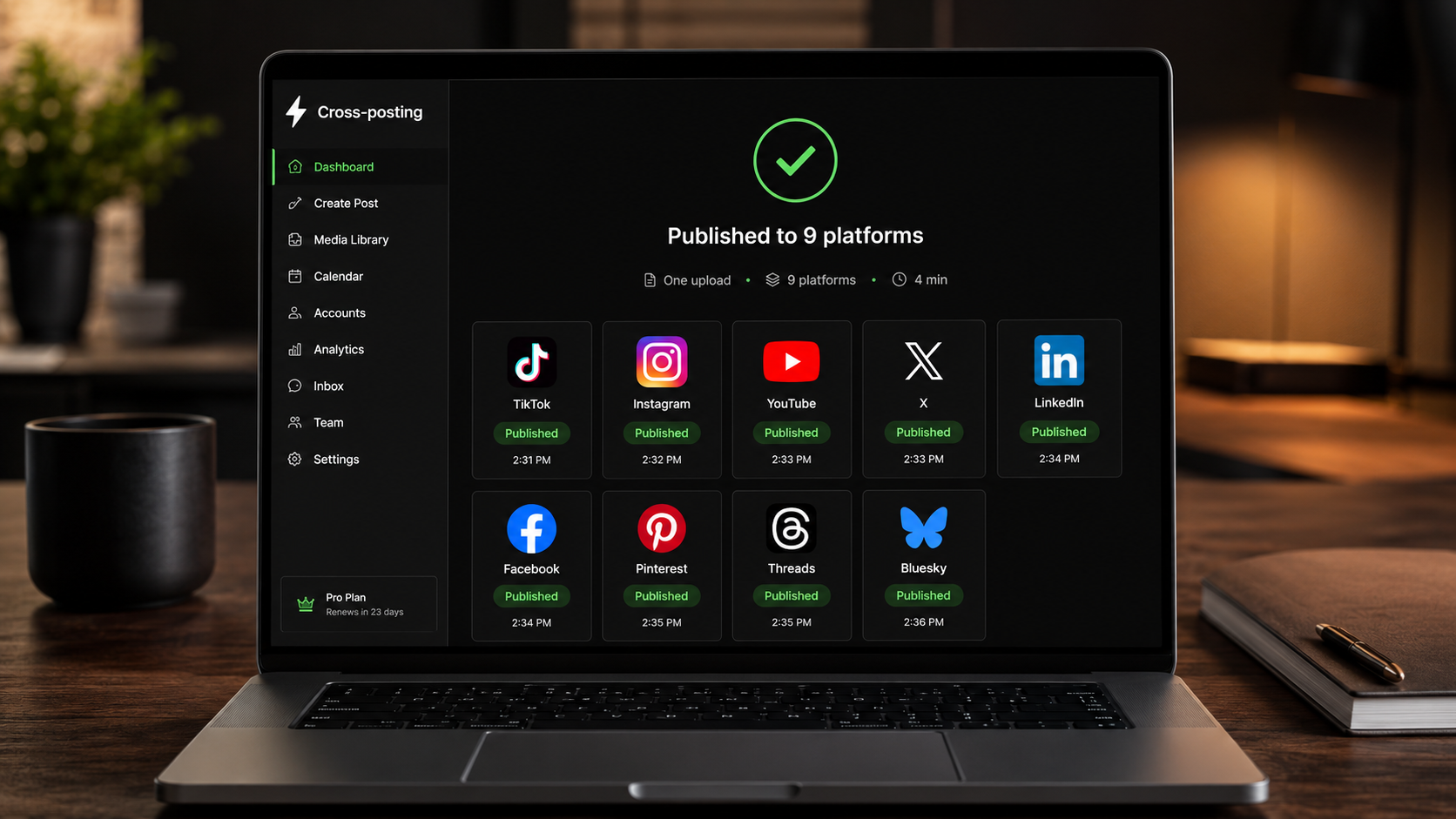
To post the same content on all social media at once, you upload your video or image one time, adapt the caption for each network, and publish to every platform from a single place. You can do it by hand (free, slow) or with a cross-posting tool (fast, one click). Either way, the rule that protects your reach is the same: upload native files, never share links between apps.
Here's exactly how to set it up, both ways, plus the mistakes that make "post everywhere" backfire.
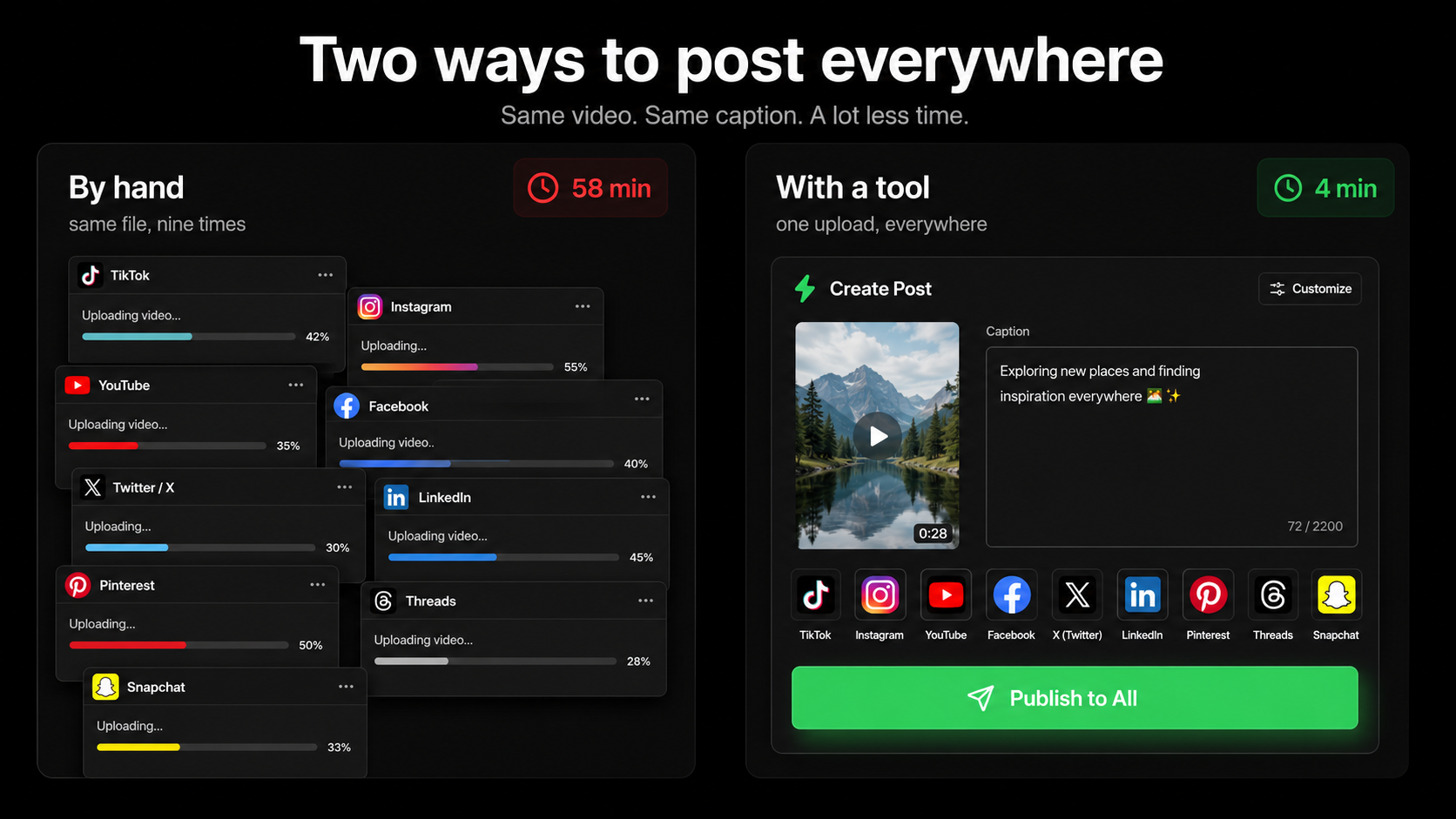
Two ways to post everywhere at once
There are only two real methods. Both work. They cost you different things.
| Method | Cost | Best for |
|---|---|---|
| By hand, app by app | Free, ~1 hour/day | 1–2 platforms, testing the habit |
| Cross-posting tool | Small monthly fee, ~5 min/week | 3+ platforms, posting daily |
If you post to one or two platforms occasionally, doing it by hand is fine. The moment you're on three or more and posting regularly, the manual method eats an hour a day, and that friction is what makes people stop posting. A tool exists to remove exactly that friction.
Method 1: Post everywhere by hand
No tools, no cost. Here's the fastest manual routine.
- 1Export one master file in a portable format: 9:16 vertical video, under 60 seconds, captions burned in, no watermark.
- 2Write your master caption in a notes app, plus short variants for platforms with tight limits (X, Bluesky).
- 3Open each app and upload the fresh file natively. Never post a link to another platform.
- 4Paste the right caption variant, adjust hashtags, and publish.
- 5Repeat for every platform. Stagger them across the day if you can.
Why native matters
Downloading a TikTok and re-uploading it to Reels with the logo still on it gets your Reel down-ranked. Always export a clean file from your editor, not from another platform.
Method 2: Post everywhere in one click
A cross-posting tool connects all your accounts once, then lets you publish to every platform from a single composer. The whole manual routine above collapses into one screen.
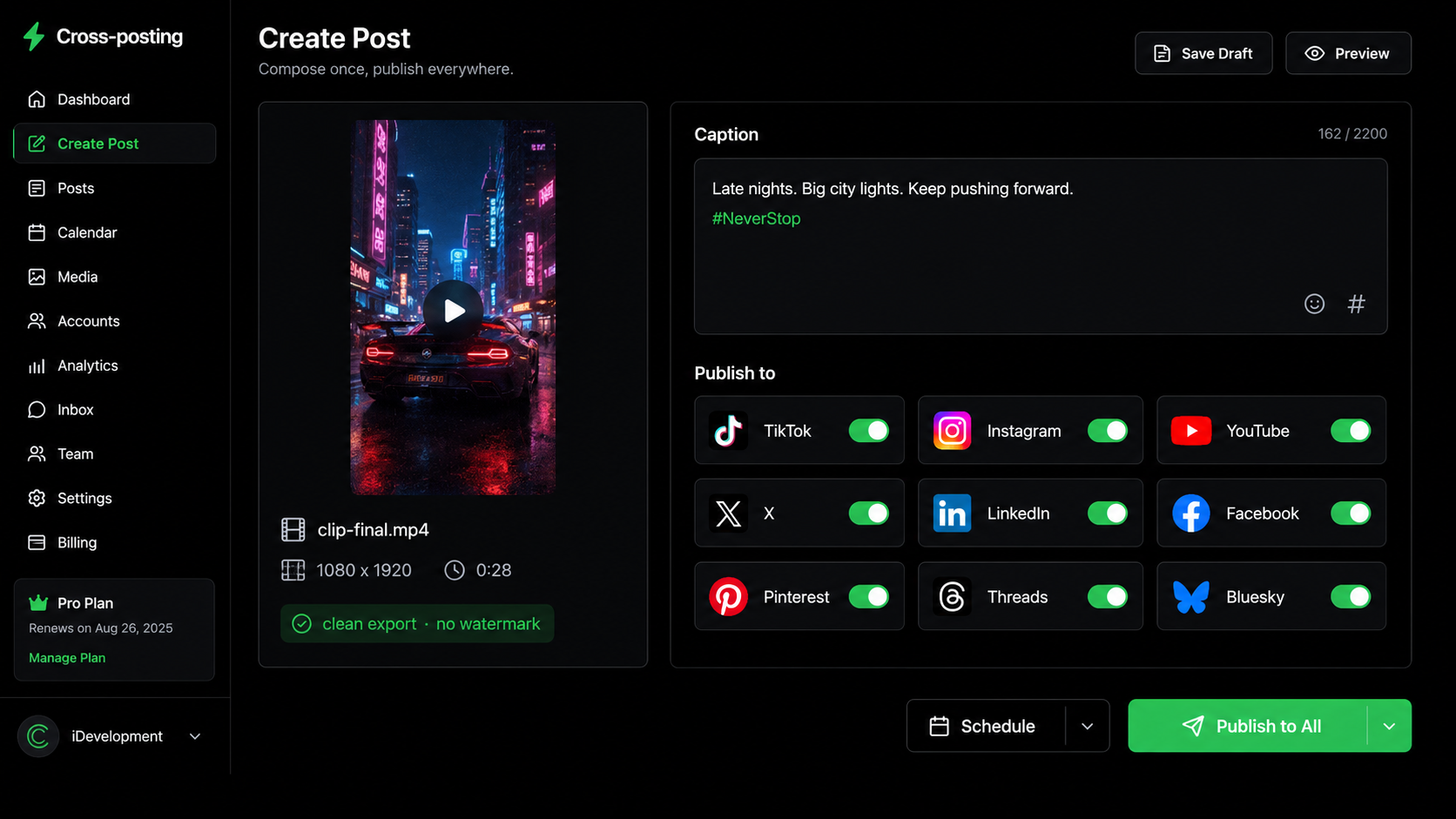
- 1Connect your accounts once (Instagram, TikTok, YouTube, X, LinkedIn, Facebook, Pinterest, Threads, Bluesky).
- 2Drop in your video or image a single time.
- 3Write the caption once, then tweak per platform in the same view.
- 4Select all platforms and hit publish — or schedule it for later.
That's the entire workflow. For the tool side of this, see the best social media scheduler for creators.
Connect nine platforms once, then post to all of them in a click.
Try it freeThe 15-minute setup you only do once
Most of the pain in posting everywhere isn't the posting. It's making the same decisions again every single time: which export settings, which caption, which hashtags, which accounts are even still logged in. Do this once and every future post gets faster.
- 1Save an export preset in your editor: 1080 x 1920, MP4, H.264, under 60 seconds, captions burned in, no logo overlay. Name it "cross-post master" so you never think about it again.
- 2Connect every account once. Whether that's logging into nine apps on your phone or connecting them in a scheduler, do it in one sitting while you have the passwords and 2FA codes to hand.
- 3Write a caption template with four slots: hook line, value line, call to action, hashtag block. You'll refill it in thirty seconds per post instead of staring at an empty box.
- 4Keep one folder for finished clips, named by date. "Where's the final file?" is the most common reason a daily posting habit slips a day.
- 5Decide your platform list and stop revisiting it. Changing your mind weekly about whether Pinterest is worth it costs more time than just posting there.
Fifteen minutes up front, and the per-post work drops to attach, tweak, publish. This is the part people skip, and it's the part that decides whether they're still posting in six weeks.
Should the caption be identical everywhere?
No, and this is where "post the same content" gets misunderstood. The video or image can be identical. The caption should adapt, for two reasons: platforms read identical text across networks as automated, and each network's audience expects a different tone.
- X and Bluesky: one or two tight lines.
- LinkedIn: a hook line plus a couple short paragraphs, fewer emojis.
- Instagram and TikTok: value first, then 3–5 relevant hashtags.
- Pinterest: plain keywords describing what's in the content, because Pinterest is a search engine.
The mistakes that make posting everywhere backfire
Posting to all platforms is safe. These specific habits are not.
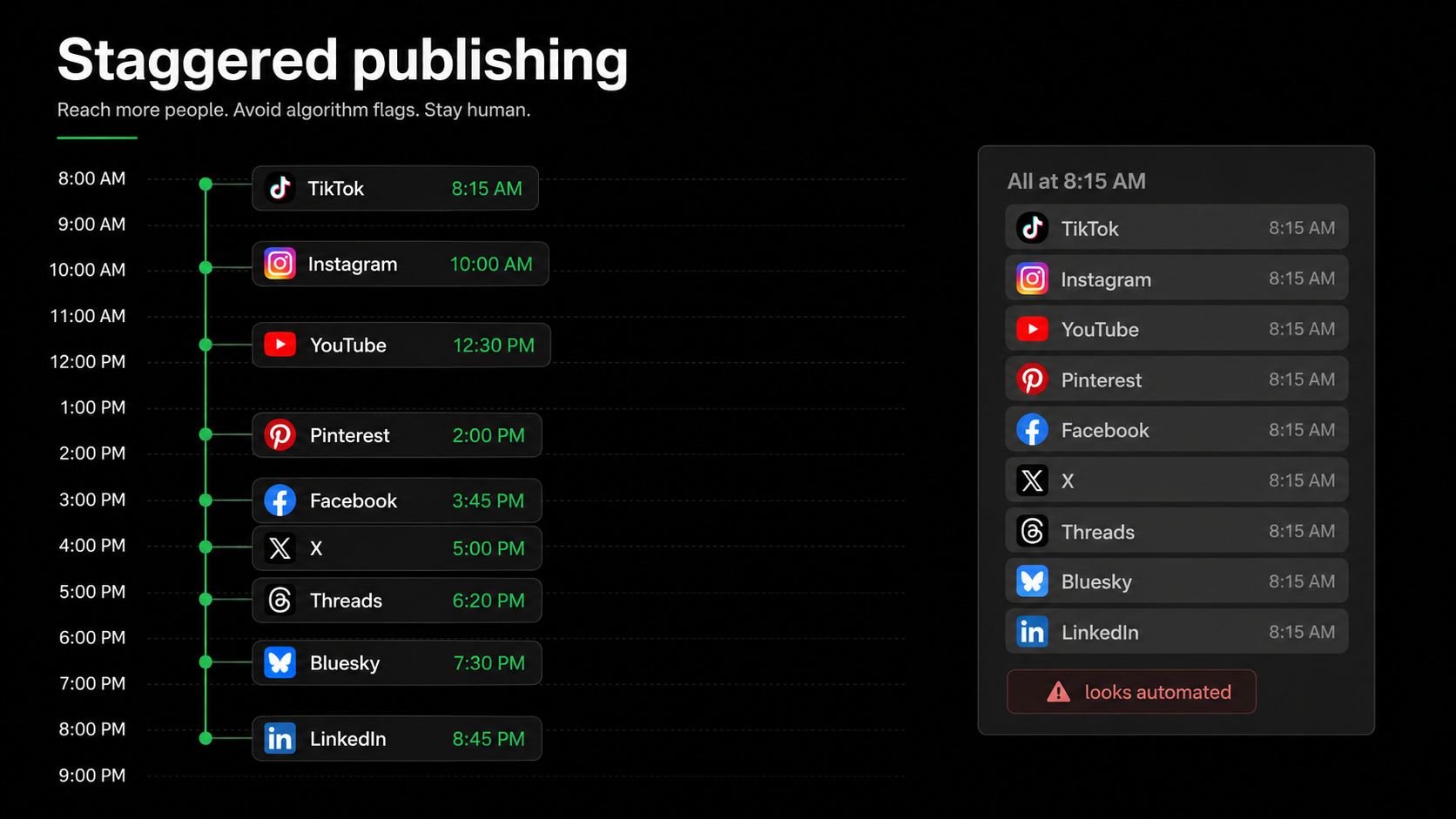
- Firing all posts in the same minute. Stagger them across the day so it reads as human.
- Leaving watermarks on files. A competitor's logo is a reach penalty on every other app.
- Posting the same content to multiple accounts on one platform. That's the real spam trigger. More in cross-posting without getting shadowbanned.
- Sharing links instead of uploading files. Links to other platforms get suppressed, especially on X and Instagram.
Which platforms should you post to?
You don't have to be everywhere on day one. Start with the platforms where your audience already is, get the routine tight, then add more. Because your master asset already exists, each new platform costs almost nothing to add.
A common starting set for creators: TikTok, Instagram Reels, and YouTube Shorts (the same 9:16 video works on all three), then X or LinkedIn depending on your niche. Expand from there.
A realistic week of posting everywhere
"Post to all platforms" sounds like a daily marathon. In practice the people who sustain it batch the hard part once a week and spend minutes a day on the rest. Here's what that actually looks like.
| Day | What you do | Time |
|---|---|---|
| Sunday | Film 4–5 clips back to back, same setup | 60–90 min |
| Sunday | Edit and export all of them with your preset | 45 min |
| Sunday | Write captions for the week, queue them to all platforms | 20 min |
| Mon–Fri | Nothing — the queue publishes | 0 min |
| Mon–Fri | Reply to comments on whichever platform is moving | 10 min/day |
Under three hours for a full week on every platform, and four of those days need nothing from you at all. Compare that with filming and uploading daily across six apps, which is where most people quietly give up in week three. If batching is new to you, content batching for creators breaks the filming day down properly.
The key detail is that the queue runs whether or not you feel like posting. Motivation is a terrible publishing schedule; a queue is a good one.
Platform-by-platform: what to check before you post everywhere
Posting to all platforms at once works best when your one file already fits each platform's rules. A quick pre-flight check saves you from a post that gets rejected or throttled on one network.
| Platform | Watch out for | Quick fix |
|---|---|---|
| Watermarks, feed vs Reel | Clean file, post as Reel | |
| TikTok | Slow intros, banned hashtags | Hook early, 3–5 niche tags |
| YouTube Shorts | Over 60s, weak title | Trim, write a search-style title |
| X | Links suppressing reach | Upload native video, not a link |
| External links in body | Link in first comment | |
| Vague captions | Keyword-rich description |
None of these require a different video — just a slightly different caption and a clean, watermark-free file. That's the whole art of posting everywhere at once: one asset, small per-platform adjustments.
When one platform fails to publish
Publish to nine platforms often enough and one will eventually fail while the other eight go out fine. This is normal, it's almost never your account being punished, and it's usually one of four things.
| What you see | Usual cause | Fix |
|---|---|---|
| "Account not connected" | Token expired — most platforms expire access every 60–90 days | Reconnect the account, republish |
| Video rejected on one app | Length or aspect ratio outside that platform's limits | Trim to under 60s, keep 9:16 |
| Post published with no caption | Special characters or an over-limit caption | Shorten it, drop exotic emoji |
| Stuck "processing" for hours | Platform-side delay, especially on YouTube | Wait it out before re-uploading |
The one thing not to do is immediately re-upload the same file several times. That turns a harmless failure into duplicate posts, which is a real spam signal. Check whether it actually published first, then retry once.
How much time posting everywhere actually saves
The case for a tool isn't abstract. Here's the real time math for a creator posting one clip to six platforms daily.
| Method | Per day | Per month |
|---|---|---|
| By hand, app by app | ~45–60 min | ~25 hours |
| Cross-posting tool | ~5 min | ~2.5 hours |
That's roughly 20 hours a month back — most of a full work week — for the same output. And it's not just time. Friction decides frequency: when posting is a one-hour chore, you skip days; when it's five minutes, you post daily. The tool doesn't just save time, it makes consistency possible, and consistency is what actually grows an audience.
Common questions about posting to everything
A few things trip people up when they first start posting everywhere at once.
- "Won't my followers see it twice?" Rarely — most people don't follow you on every platform, and the ones who do don't mind seeing your best content again.
- "Which platform should get it first?" It doesn't matter much. Post natively to all of them; there's no penalty for order.
- "Do I need different content for each?" No — same core content, adapted caption. Only adapt more heavily if a platform's audience genuinely expects something different.
- "Is it worth being on platforms I don't use personally?" Often yes. Your audience may live on a platform you'd never open yourself.
Frequently asked questions
How do I post to all social media at once for free?
By hand: export one clean master file, write your captions in a notes app, then upload the fresh file natively to each platform and paste the right caption. It's free but takes around an hour a day once you're on several platforms. Some cross-posting tools also offer a free tier for a limited number of platforms.
Can I post to Instagram, TikTok and YouTube at the same time?
Yes. The same 9:16 vertical video under 60 seconds works natively on all three. Upload it to each app, or use a cross-posting scheduler to publish to all three (and six more) from one dashboard.
Does posting the same thing everywhere hurt my reach?
No, as long as you upload native files, remove watermarks, and vary the caption slightly per platform. Reach only drops when you share cross-app links, leave competitor logos on files, or blast identical posts to multiple accounts on the same network.
What's the best app to post to all social media at once?
The right one is whichever supports every platform you actually use and publishes native uploads through official APIs rather than sharing links between apps. Check that it covers TikTok, Instagram, YouTube Shorts, Facebook, Pinterest, X, Threads, Bluesky and LinkedIn, that it lets you edit the caption per platform, and that it can schedule rather than only publish instantly.
Can I post to all social media at once from my phone?
Yes. Doing it by hand works from a phone since you're just uploading the same clean file to each app. Most cross-posting tools are web-based and work in a mobile browser too, so you can attach a clip from your camera roll and publish everywhere without a laptop.
Should I post to every platform at the exact same time?
It's better to stagger them across the day. Firing identical posts to nine platforms in the same minute looks automated. Spacing them out reads as human and lets you hit each platform's best posting time.
Bottom line
Posting to all your social media at once comes down to one master file, adapted captions, and a single place to hit publish. Do it by hand when you're small, switch to a tool when the app-switching starts costing you an hour a day. Upload native files, stagger your posts, and let every platform take its own shot at your content.
Want the one-click version? Try Crossposting free.
Put this into practice
Schedule a week of content to every platform in one sitting. Free to start, no card today.
Try Crossposting free