How to Cross-Post From Instagram to TikTok, YouTube & Threads
One Reel can become a post on five platforms. Here's how to move it from Instagram to TikTok, YouTube and beyond the right way.
The Crossposting Team
Crossposting.xyz
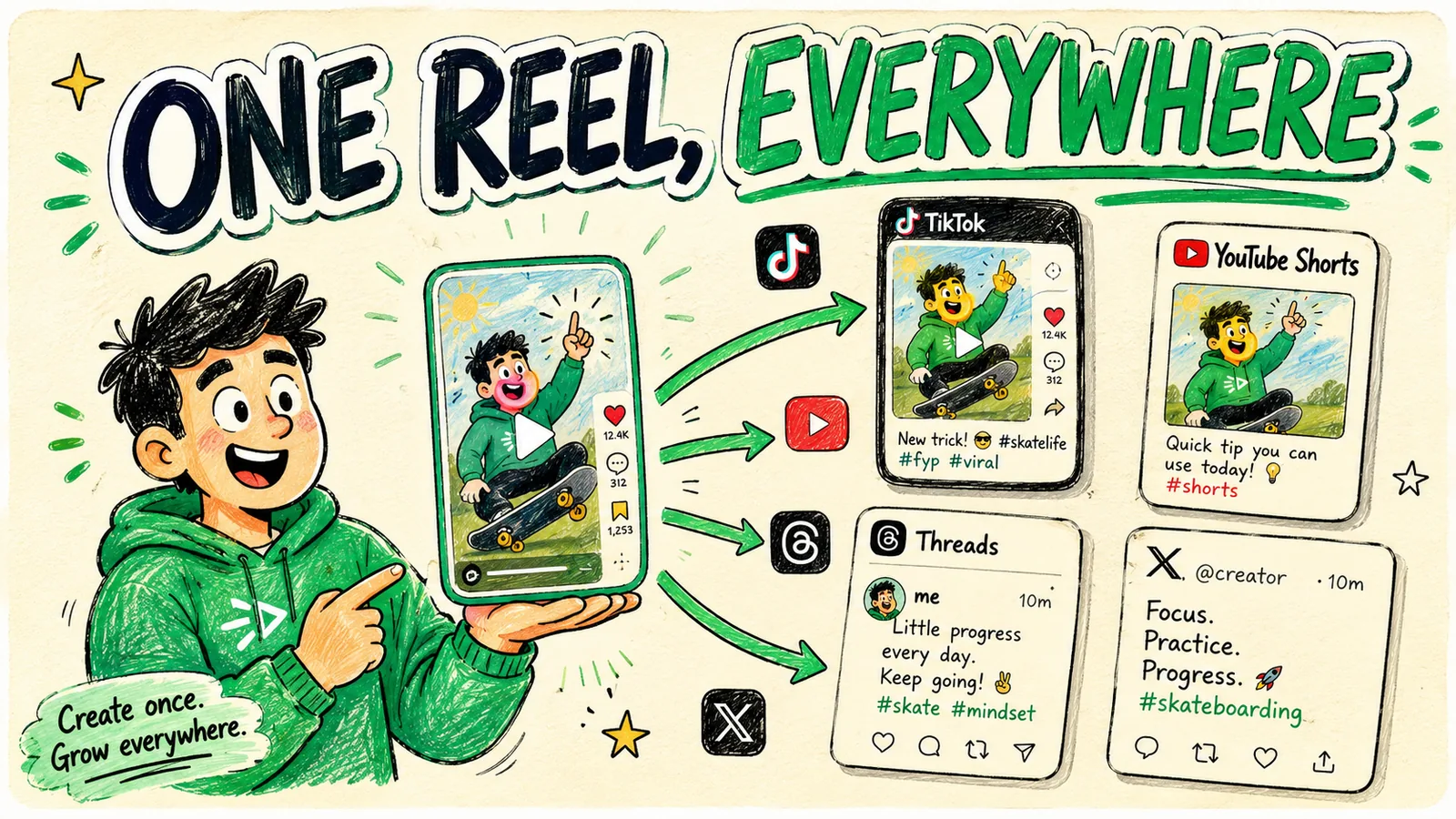
To cross-post from Instagram to TikTok, YouTube Shorts, Threads and beyond, you need a clean copy of your video without the Instagram watermark, then you upload it natively to each platform with a caption adapted to fit. The watermark is the part everyone gets wrong: a Reel downloaded from Instagram carries a logo that TikTok and YouTube quietly punish. Get a clean file and the rest is easy.
Here's the exact process, the watermark fix, and how to adapt one Reel for four other platforms.
The watermark problem (fix this first)
If you download your own Reel from the Instagram app, the file comes with an Instagram watermark baked in. Upload that to TikTok or YouTube and the algorithm sees foreign branding and limits your reach. This is the number-one reason cross-posting from Instagram "doesn't work" for people.
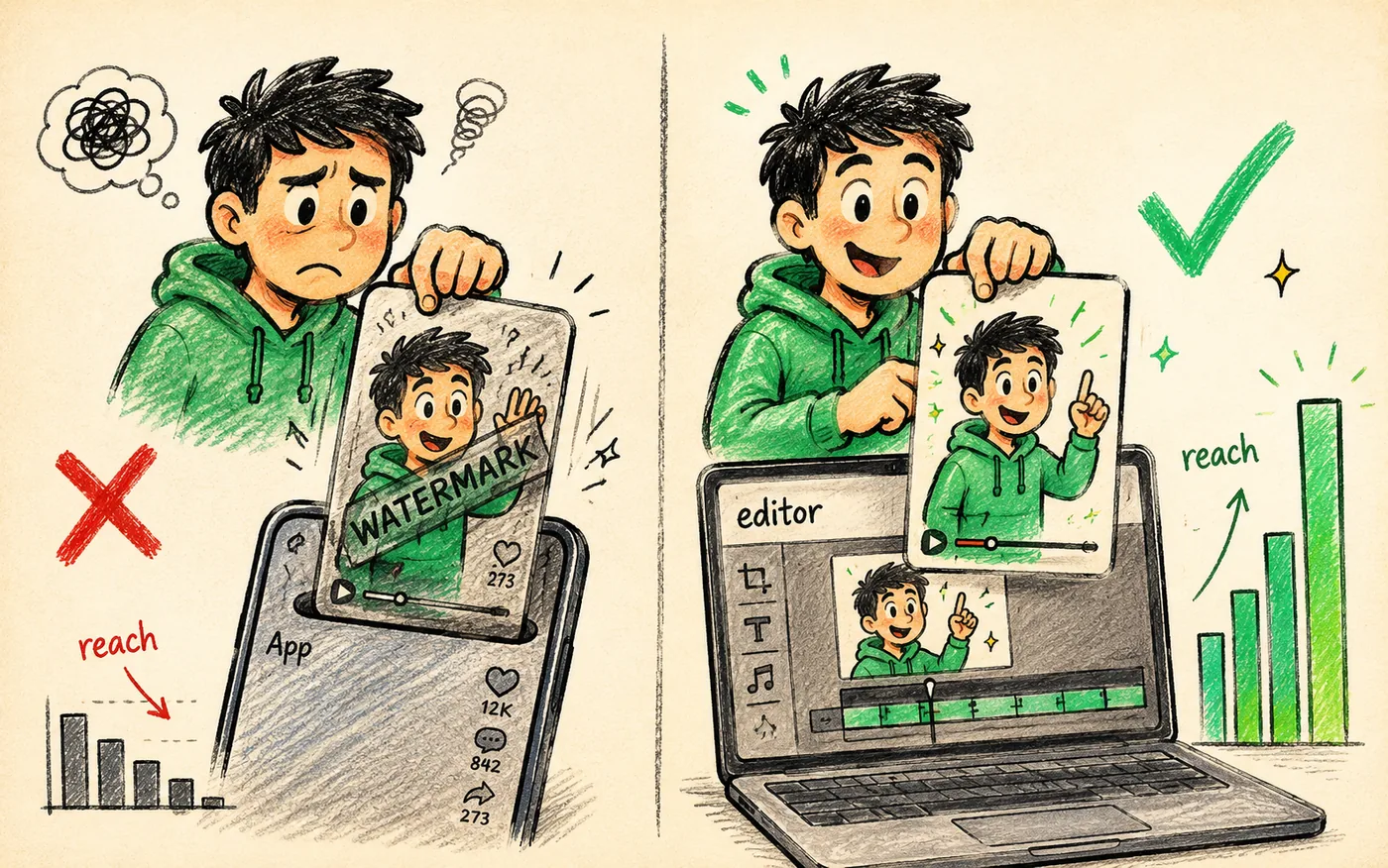
How to get a clean, watermark-free file
- Best: keep the original export from your editor (CapCut, Premiere, wherever you made it) and upload that everywhere. It never touched Instagram, so it's clean.
- If you only have the Reel: re-export the source clip, or save the original before you ever posted it. Make a habit of saving the clean master first, then posting.
- Avoid third-party "watermark remover" sites for your own content — they re-compress and degrade quality. Just keep your editor's export.
The habit that fixes this forever
Save the clean 9:16 export to a folder before you post it anywhere. Then Instagram, TikTok, YouTube and everything else all get the same pristine file.
The universal file that works everywhere
Export once to these specs and the same file plays natively on Instagram, TikTok, YouTube Shorts, Facebook Reels and Pinterest.
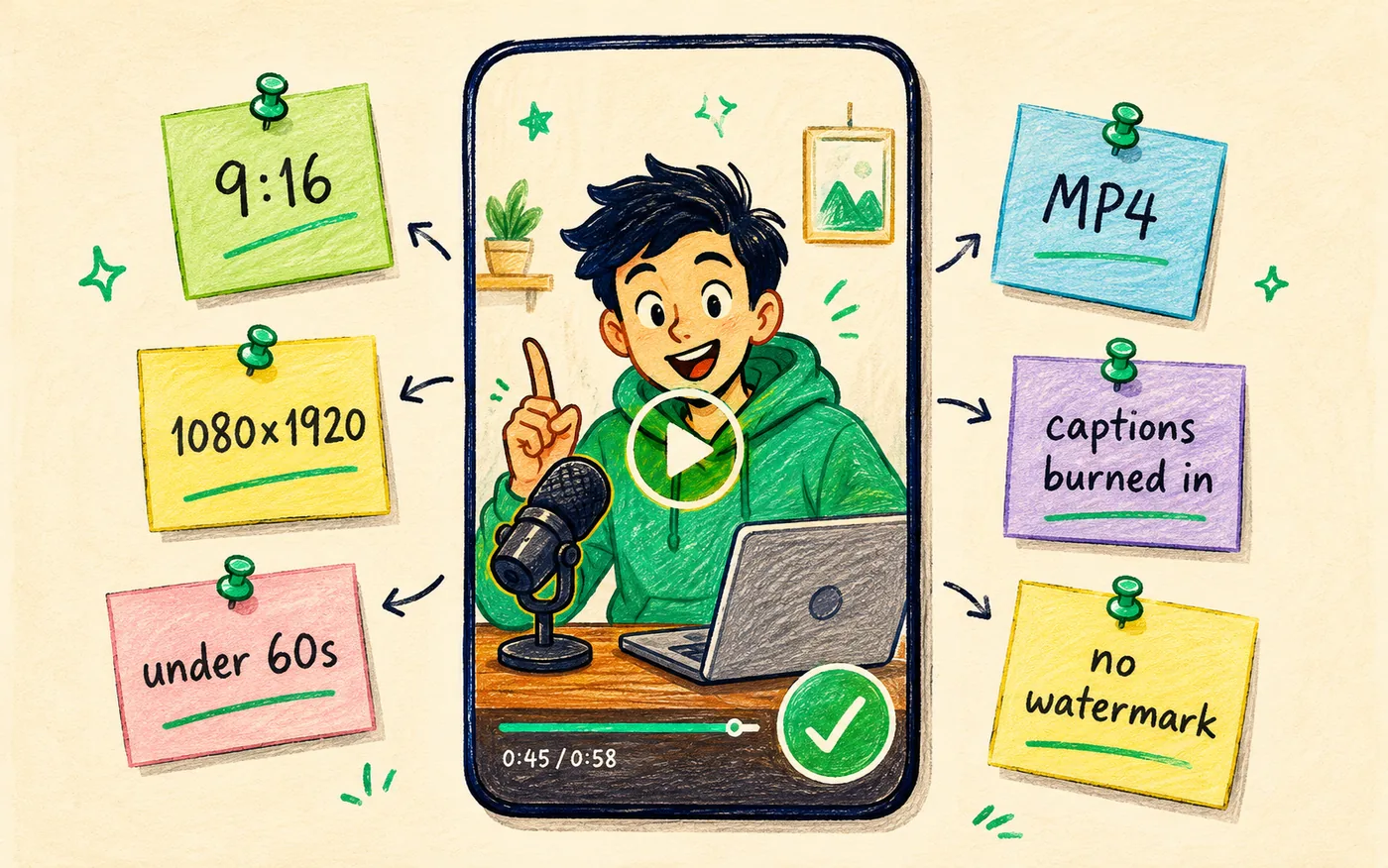
| Spec | Setting |
|---|---|
| Aspect ratio | 9:16 vertical |
| Resolution | 1080 × 1920 |
| Length | Under 60 seconds |
| Format | MP4 (H.264) |
| Captions | Burned in |
| Watermark | None |
Export settings, editor by editor
Most editors bury the settings that matter under a preset menu. These are the ones to pick so your file comes out clean the first time and you never re-render.
| Editor | Where to set it | Pick this |
|---|---|---|
| CapCut (phone) | Export screen, top bar | 1080p, 30fps, no "CapCut ending" toggle |
| CapCut (desktop) | Export dialog | MP4, 1080×1920, bitrate "Recommended" |
| Premiere Pro | Export → Format | H.264, preset "Match Source – High bitrate" |
| DaVinci Resolve | Deliver page | MP4, H.264, 1080×1920, Restrict to 10,000 Kb/s |
| iPhone Photos | Share → Save Video | Already clean if you never sent it through an app |
The CapCut ending nobody notices
CapCut adds its own outro clip by default. It reads as third-party branding on TikTok the same way an Instagram watermark does. Toggle it off once in export settings and it stays off.
Which platform should get the clip first?
Posting order barely moves the needle, with one exception: whichever platform you post to first is the one whose native features you will be tempted to use, and native features are what break the file for everywhere else. Pick the order that keeps your master clean.
| If you want | Post first to | Why |
|---|---|---|
| Fastest discovery | TikTok | Every clip gets a fresh test regardless of follower count |
| Search traffic that lasts | YouTube Shorts | Re-surfaces for months, unlike feed-driven platforms |
| Feedback from people who know you | Reach leans on your existing audience first | |
| A written angle to test | Threads | Text hook does the work, clip is the evidence |
The order matters less than the discipline: export the master, save it, then post from that file every time. Creators who post to Instagram first and download the Reel afterward are the ones who end up with watermarked uploads everywhere else.
How to adapt one Reel for each platform
The video stays the same. The caption changes to fit each network's audience and rules.
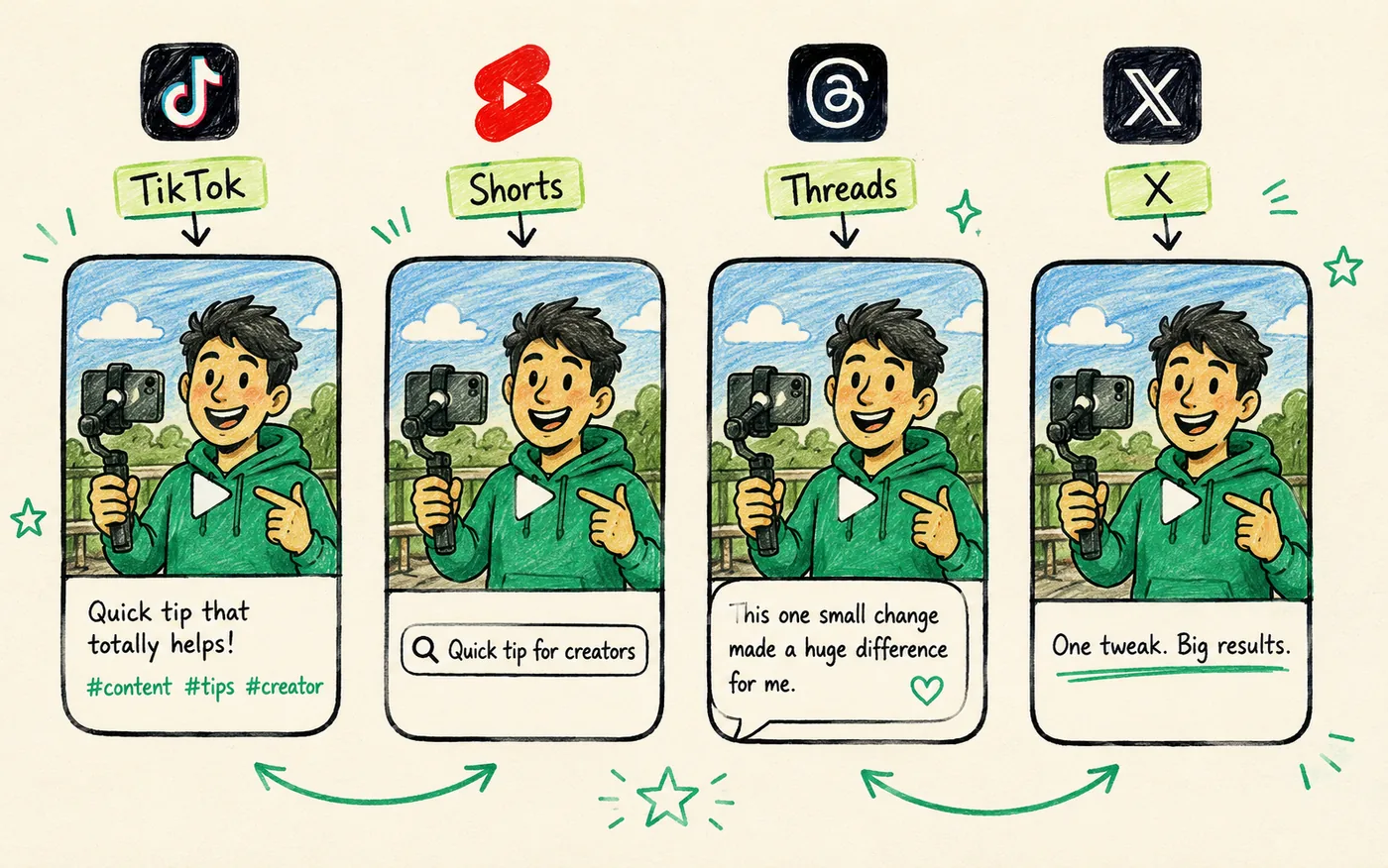
Instagram → TikTok
Upload the clean file. Put the payoff early (TikTok rewards completion rate), use 3–5 specific hashtags, and skip generic #fyp spam. TikTok audiences are less forgiving of slow intros than Instagram.
Instagram → YouTube Shorts
Keep it under 60 seconds and write a title that reads like a search query, because Shorts pulls from YouTube's search intent. Shorts is slow to pop and re-tests old videos for months, so don't judge it in week one.
Instagram → Threads
Threads is text-first. Post a short written hook with the clip attached rather than a bare upload, and reply to early comments — Threads rewards conversation.
Instagram → X
Upload the native video (don't link to the Reel — X suppresses off-platform links). Trim the caption to one or two punchy lines.
One clip, four captions
Say you filmed a 40-second clip about batching a week of content on Sunday. The video never changes. Only the wrapper does, and each wrapper takes about fifteen seconds to write once you know the shape.
| Platform | Caption shape | Example |
|---|---|---|
| TikTok | Payoff in the first line, 3–5 tight tags | "I batch a week of content in 40 minutes. Here's the Sunday routine. #contentcreator #batching" |
| YouTube Shorts | Reads like something you'd type into search | "How to batch a week of social media content in under an hour" |
| Threads | Written hook, clip as evidence, invites a reply | "Sunday batching saved me about 6 hours a week. Curious how long yours takes." |
| X | One or two lines, native upload, no link out | "40 minutes on Sunday. Content done for the week." |
| Longer story, saves and shares are the signal | "I used to post daily and burn out by Thursday. Then I moved everything to Sunday…" |
Write the TikTok caption first. It forces you to find the payoff, and the other four are edits of that one line rather than four blank pages.
Doing it fast: one upload instead of five
Manually saving the clean file and uploading it to five apps with five captions takes a chunk of your day. A cross-posting tool connects Instagram, TikTok, YouTube, Threads and X once, then lets you push the clean file to all of them from one screen, with per-platform captions in the same view.
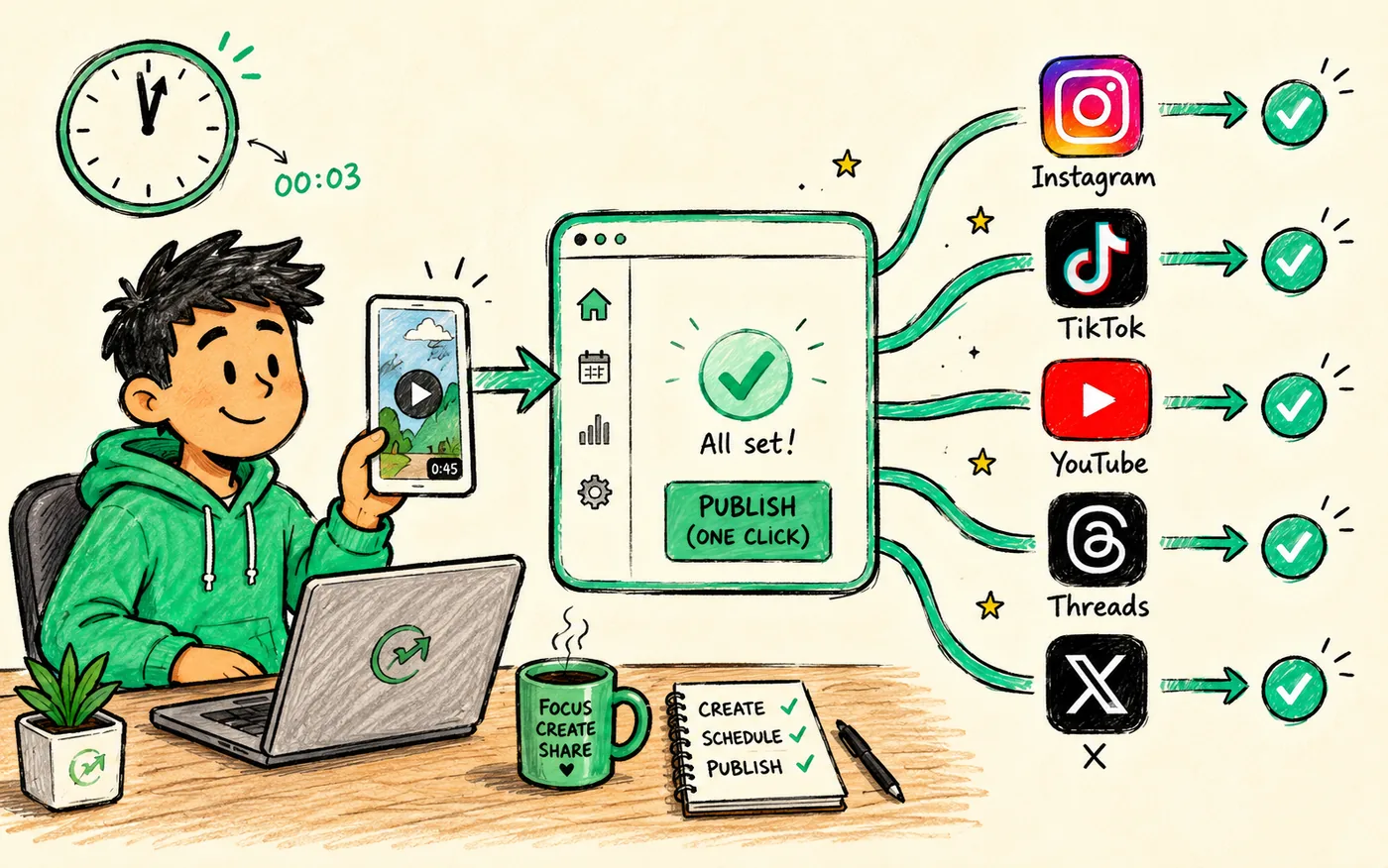
See the full multi-platform workflow in how to cross-post to multiple platforms.
Push one clean clip to Instagram, TikTok, YouTube, Threads and X in a click.
Try it freeCommon mistakes to avoid
- Cross-posting the watermarked download instead of a clean export. The single biggest reach-killer.
- Using the exact same caption everywhere. Vary it per platform so it doesn't read as automated. See cross-posting without getting shadowbanned.
- Linking to your Reel on X or LinkedIn instead of uploading the file.
- Judging TikTok or Shorts by Instagram's timeline. Each platform's algorithm pays out on its own schedule.
You already posted and lost the clean file
This happens to everyone once. You shot on your phone, edited in the app, posted the Reel, cleared your camera roll, and now the only copy in existence has a watermark on it. Work through these in order and stop at the first one that gives you a clean file.
- Check your editor's project history. CapCut, InShot and Premiere keep the project even after you export. Re-export it and you have a clean master in two minutes.
- Check your phone's recently deleted folder. Photos and Google Photos hold deleted videos for 30 days. The original export is often still sitting there.
- Check your cloud backup. iCloud Photos and Google Photos back up on record, before you ever opened Instagram.
- Re-cut from the raw footage if you still have the source clips. Slower, but you end up with a better master than the first one.
If all four come up empty, post the clip only where it already lives and treat the next one differently. A watermarked upload to TikTok performs worse than not posting it at all, because a weak-performing video teaches the algorithm something about your account. Why your TikTok isn't getting views goes deeper on how those early signals compound.
Audio is the one thing that doesn't travel
The video file crosses platforms cleanly. The soundtrack often does not, and this catches people who build a whole clip around a trending TikTok sound.
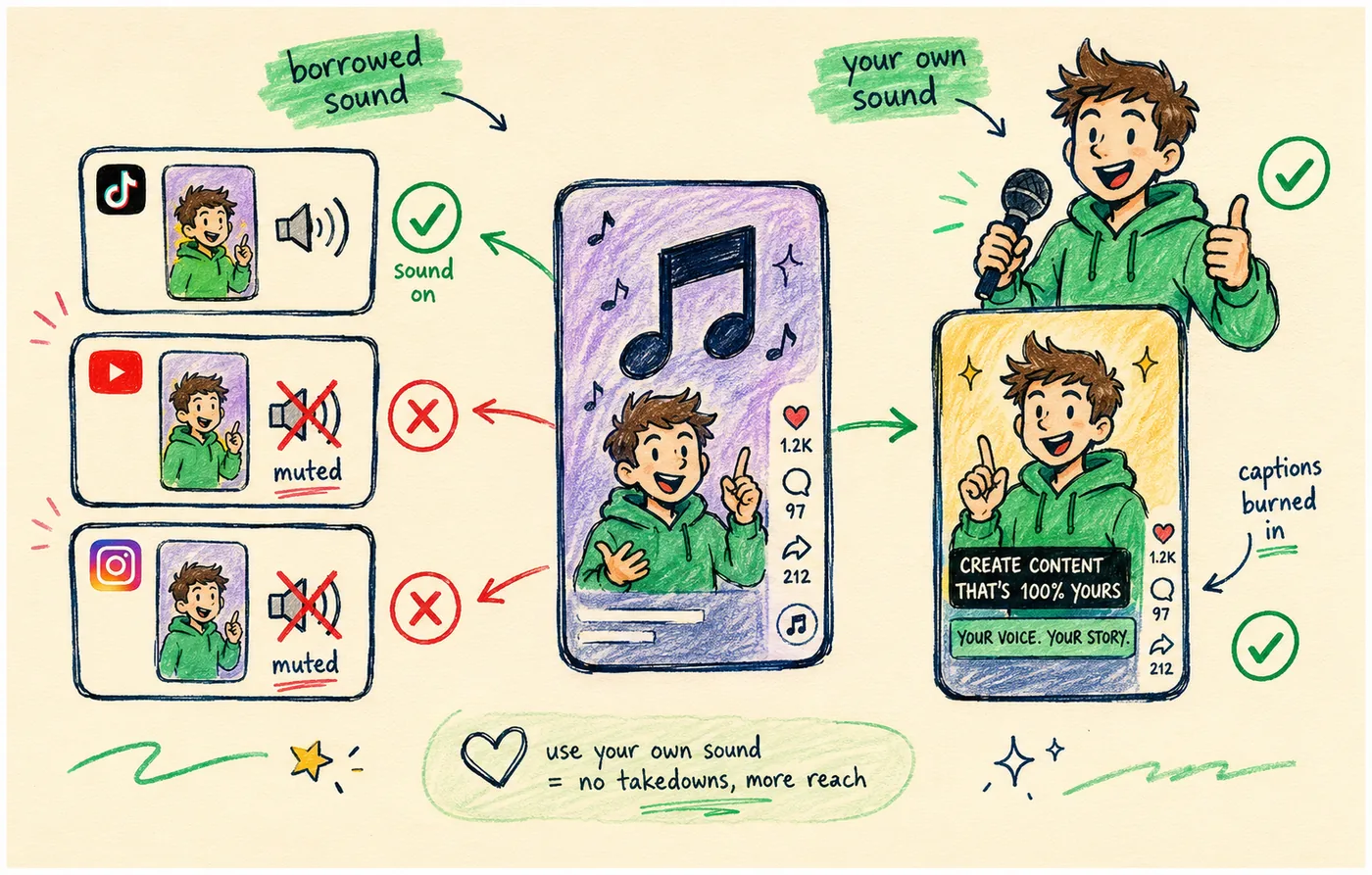
Each platform licenses music separately. A track that's cleared and trending on TikTok may be missing from Instagram's library, blocked on YouTube, or muted on Facebook. When a platform can't clear the audio it usually mutes the video rather than telling you, so the post goes out silent and you find out from a comment.
- Use your own audio — voiceover, ambient sound from the shoot, or a track you licensed. It plays everywhere and nothing gets muted.
- Burn captions in during editing so the clip still works for the large share of viewers watching on mute.
- If you want a trending sound, add it natively in that one app and accept that this clip is a single-platform post. Keep it as the exception.
The trade is real: platform-native sounds do help discovery on TikTok. Just don't build your whole output around them, or every clip becomes a one-platform clip. One video, three algorithms covers how the same file gets judged differently once it's out there.
The reverse: cross-posting FROM TikTok to Instagram
Everything here works in both directions, and the watermark trap is even more famous going the other way. A TikTok downloaded from the app carries a bouncing TikTok logo that Instagram actively down-ranks on Reels.
- Never download your TikTok from the app to repost as a Reel — the watermark is baked in.
- Always use the clean export from your editor for both.
- If TikTok is where you create first, still save the watermark-free master before you post it there.
The principle is direction-agnostic: whichever platform you make content for first, keep a clean copy that never touched any app, and feed that copy to everything. The clean master is the whole secret.
Timing your cross-posts across platforms
Once your clean file is ready, when you post to each platform matters a little. You don't need to fire all five at the exact same second — in fact, you shouldn't.
- Stagger by a few hours so it doesn't look like an automated blast.
- Hit each platform's peak window — TikTok evenings, LinkedIn weekday mornings, and so on. See best time to post on social media.
- Let a scheduler handle it so good timing happens automatically across all five.
Staggering isn't just about avoiding spam signals. It also means you're present in feeds at different times of day, catching audiences you'd miss if everything posted at once.
What doesn't transfer between platforms
Cross-posting the video is easy. A few platform-native features simply don't carry over, and forcing them wastes effort.
- Trending audio. A sound that's licensed and trending on TikTok may not exist on Instagram or YouTube. Use your own audio or check availability per platform.
- Platform stickers, polls, and effects live on one app only.
- Text overlays added in-app (like TikTok's native captions) can look off elsewhere — burn captions in during editing instead.
The fix is the same as the watermark fix: build your video self-contained in your editor, with burned-in captions and your own audio, so it stands on its own everywhere without relying on any one platform's features.
Adapting your posting rhythm across platforms
Instagram and TikTok reward slightly different posting rhythms, and knowing this helps you get more from the same clips rather than treating both identically. The video can be the same; the cadence and expectations around it differ.
TikTok rewards volume and consistency more aggressively than Instagram. Its discovery engine gives every video a fresh shot regardless of your follower count, so posting once or even multiple times a day compounds fast. Instagram's Reels reach leans more on your existing audience and rewards quality signals like saves and shares, so it tolerates a slightly lower frequency if each post earns strong engagement.
For most creators the answer is to post everything to both. The extra reach outweighs the worry about posting too often. Be selective on Instagram only if you care about how the grid looks to someone landing on your profile for the first time.
| Platform | Sustainable cadence | What it rewards |
|---|---|---|
| TikTok | 1–3 per day | Volume, completion rate, fresh tests per clip |
| YouTube Shorts | 1 per day | Search intent, long tail, months of re-testing |
| Instagram Reels | 4–7 per week | Saves, shares, existing audience |
| Threads | 2–5 per day | Replies and conversation, low production |
| X | 3–10 per day | Speed, timeliness, native video |
Those numbers are ceilings, not targets. Two clips a week posted everywhere beats a burnout sprint that ends in month two. Ramp toward the ceiling only if the content holds up.
How to tell whether cross-posting is working
Cross-posting fails quietly. Views look fine on the platform you already had, nothing much happens elsewhere, and you conclude the whole idea doesn't work. Check the right number per platform and you get an honest read in about five minutes a week.
| Platform | The number that matters | Where to find it |
|---|---|---|
| TikTok | Average watch time and % who watched full | Post → Analytics → Viewers |
| YouTube Shorts | Views from Shorts feed vs. search | YouTube Studio → Reach → Traffic source |
| Saves and shares, not likes | Reel → View insights | |
| Threads | Replies per post | Post → Insights |
| X | Video views vs. impressions | Post analytics |
Give a new platform eight weeks before you judge it. Shorts in particular sits flat for a month and then re-surfaces old clips, so week-one numbers tell you nothing. If your reach drops across every platform at once, that's a different problem, and cross-posting without getting shadowbanned covers it.
Scaling to more platforms from your Instagram content
Once you've mastered moving content from Instagram to TikTok, the same clean-file workflow extends to every other platform with almost no extra effort. Your Instagram Reels are a launchpad for a full multi-platform presence, not just a TikTok cross-post.
The same watermark-free 9:16 file that works on TikTok also works natively on YouTube Shorts and Facebook Reels, and embeds cleanly on X, Threads, and Bluesky. So the clean master you saved for the Instagram-to-TikTok move is already everything you need to be on nine platforms. You did the hard work once; extending it to more platforms is just more uploads and caption tweaks.
Doing it by hand breaks down around platform four. Saving the clean file and uploading it to eight apps with different captions eats an hour, which is why most creators quietly stop at one or two. Connect the accounts once and the same clip goes everywhere from one screen, captions and all. The 30-second cross-post workflow walks through what that looks like on an ordinary Tuesday.
Frequency is the other half. Friction decides how often you show up, and showing up daily on eight platforms beats a polished post once a week on one. Posting daily beats posting perfectly makes the case with the numbers behind it, and best time to post on social media covers when to fire each one.
The payoff is that one Reel becomes reach on every major platform for barely more effort than posting it to Instagram alone. That's the real prize behind the Instagram-to-TikTok question: not just two platforms, but a system where every piece of content you make works everywhere. See how to cross-post to multiple platforms.
Frequently asked questions
How do I post a Reel to TikTok without the Instagram watermark?
Don't download the Reel from Instagram — that version has the watermark baked in. Instead, upload the original clean export from your editor. Get in the habit of saving the finished 9:16 file before you post it anywhere, so every platform gets a watermark-free copy.
Can I cross-post the same video to Instagram, TikTok and YouTube?
Yes. A single 9:16 vertical video under 60 seconds with burned-in captions and no watermark works natively on all three. Upload it to each app or use a cross-posting tool to publish everywhere at once.
Should I change the caption for each platform?
Yes. Keep the video identical but adapt the caption: front-load value and add 3–5 hashtags on TikTok, write a search-style title for Shorts, lead with a text hook on Threads, and keep it to one or two lines on X.
Does Instagram penalize you for posting Reels elsewhere?
No. Instagram doesn't know or care that you posted the same clip to TikTok. The only penalty risk runs the other way: other platforms down-rank files that still carry Instagram's watermark.
How long should I wait between posting to each platform?
A few hours is plenty. Firing all five at the same second looks automated, and staggering also puts you in feeds at different times of day. If you're scheduling, spread the five across a morning and an evening slot rather than one batch.
Why did my video post without sound on Instagram?
The track wasn't licensed for that platform. Music rights are per-platform, so a sound that's cleared and trending on TikTok can be missing from Instagram's library or blocked on YouTube. The platform mutes the video rather than warning you. Use your own audio or a track you licensed, and burn captions in so the clip works on mute either way.
Is it better to cross-post manually or use a tool?
Manually is fine at two platforms. Past four it costs close to an hour a day, which is where most people quit. A tool connects each account once and pushes the same clean file everywhere with per-platform captions, so the cost of adding a fifth or ninth platform is a caption edit rather than another upload.
Bottom line
Cross-posting from Instagram to TikTok, YouTube and Threads is simple once you solve the watermark: keep a clean export, upload it natively everywhere, and adapt the caption per platform. Save the clean master before you post, and one Reel turns into reach on five networks.
Skip the manual re-uploads — try Crossposting free and send one clean clip everywhere at once.
Put this into practice
Schedule a week of content to every platform in one sitting. Free to start, no card today.
Try Crossposting free